

You sell a digital product on WooCommerce. Maybe it’s software, a theme, or a cool plugin. Someone buys it. Great. Now, how do you stop everyone else from just buying it for free? And how do you make sure only your paying customers get latest updates and support?
This is where WooCommerce license keys come in. Think of them as a digital ticket. It shows someone bought your product. It also unlocks access to the real deal, like future updates and your help when they need it.
We’re going to talk about what these keys are, why they matter for your business, and how they actually work. We’ll also cover some real-world insights involving license keys WooCommerce plugin and how to avoid them.
What Are WooCommerce License Keys?
A WooCommerce license key is a unique code given to a customer after they buy a digital product. Think of it as a digital receipt that also acts like a key.
When a customer installs your plugin or theme, they enter this code. The store checks if it’s valid. If yes, it unlocks updates, support, or extra features. If not, the product won’t activate or won’t receive updates.
You’ll mostly see WooCommerce license keys used for:
- WordPress plugins and themes
- SaaS connectors sold through WooCommerce
- Digital downloads like eBooks or templates
- Software that needs updates or recurring payments
The purpose is simple: confirm the buyer, limit misuse, and make renewals easy.
Why Do You Need WooCommerce License Keys? The Real Benefits
You have to protect your work. That’s the first reason. A license key is your best tool against software piracy and unauthorized sharing. Without it, someone can buy your digital product once and give it to everyone they know. A key stops that.
But it’s about more than just security. A key gives you control. It allows you to deliver a product update only to paying customers. This means your work stays current, and your customers get the latest features. It’s a key part of your business model, especially for SaaS products.
License keys also help you manage customer relationships. You get to see how many people have activated a key, and on what sites. This data helps you understand your customer base. It can also help you with support.
If a customer has a problem, you can look up their key and see their purchase history. This is critical for good WooCommerce license management.
Ultimately, a license key helps you maintain a secure and sustainable business. It ensures your hard work is rewarded and your customers are getting the value they paid for.
This video helps you understand best practices to protect your WooCommerce digital products.
How WooCommerce License Keys Work: A Simple Step-by-Step Guide
A license key works in a straightforward process. It’s a chain of events that makes sure the customer gets what they paid for and you stay in control.
1. The Purchase
A customer adds your product to their cart on your WooCommerce store. They check out and pay. This transaction is the starting point for everything else.
2. Key Generation
Once the order is complete, the license key is automatically created. This doesn’t happen with the standard WooCommerce setup; it needs a separate plugin. This plugin generates a unique string of characters for that specific purchase.
3. Key Delivery
The new license key is sent to the customer. This usually happens in two ways: it’s included in their order confirmation email, and it’s also available on their “My Account” page on your website. This gives them easy access to their secure download.
4. The Activation
The customer takes the key and enters it into your product, like a plugin or theme they just installed on their site. This key communicates with your server to activate the product. It’s a simple handshake that proves they are a valid customer.
Once activated, they get access to all features and future product updates.
What are Types of WooCommerce License Keys
Not every license works the same way. WooCommerce stores can issue different types of keys depending on how you sell your products. Here are the most common ones:
1. Single-use license keys
These are tied to one product and one site. A customer buys your plugin, gets one key, and can only activate it on a single website.
2. Multi-site license keys
Popular with agencies and power users. A single key might allow 5 or 10 activations. This is common in “pro” or “agency” plans.
3. Time-limited licenses
These expire after a set period, often one year. Customers must renew to keep updates and support. This is the standard model for most premium WordPress plugins and themes.
4. Lifetime licenses
A one-time purchase that never expires. Customers like the simplicity, but as a seller, you have to weigh support costs against one-time revenue.
Time-limited WooCommerce plugin license keys bring predictable recurring revenue. Lifetime keys can boost upfront sales but may increase long-term support costs.
Common Challenges in Managing WooCommerce License Keys

License keys sound simple, but managing them can get messy fast. Here are a few problems store owners often face:
1. Tracking keys manually
If you try to issue keys by hand, mistakes happen. Customers lose their keys, or you send the wrong one. This slows down support and hurts trust.
2. Handling renewals and expirations
Keys expire after a set period. If renewal reminders are not automated, customers forget, access lapses, and revenue drops.
3. Customer support overload
A common ticket is “I lost my key” or “my key is not working.” Without a central system, your support team spends hours chasing records instead of solving real issues.
4. Fraud and sharing
Some buyers share a single key across multiple sites. Without controls, you cannot stop one customer from using one license on 20 websites. That cuts into sales and increases server load.
5. Syncing with product updates
If the license system does not integrate with updates, expired customers may still get access. That undermines your pricing model and leads to unfair use.
A poor WooCommerce license setup leads to more support tickets, revenue leaks, and frustrated customers. The right system automates these tasks so you can focus on building your product.
What are The Best Plugins for WooCommerce License Keys
WooCommerce does not handle license keys by default. You need a plugin or extension to generate, deliver, and validate them. Here are the main options:
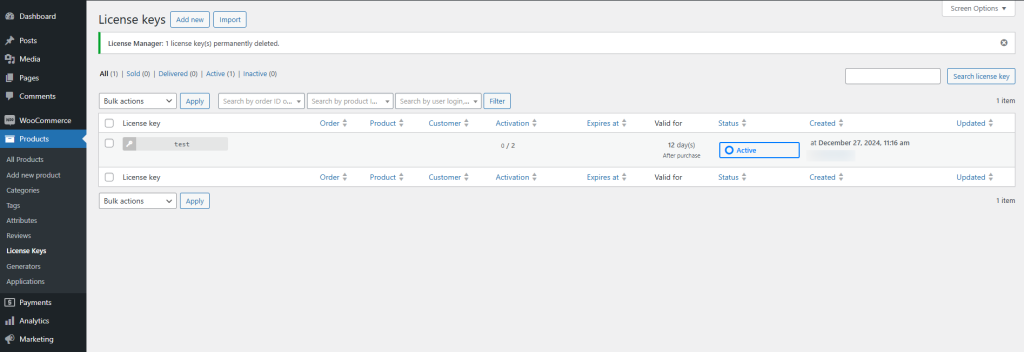
License Manager for WooCommerce

A dedicated plugin built for license key management. It automates generation, delivery, and validation. You can set limits, control activations, and track renewals in one dashboard. Customers can view their keys in their account area, which cuts down on support requests.
WooCommerce API Manager
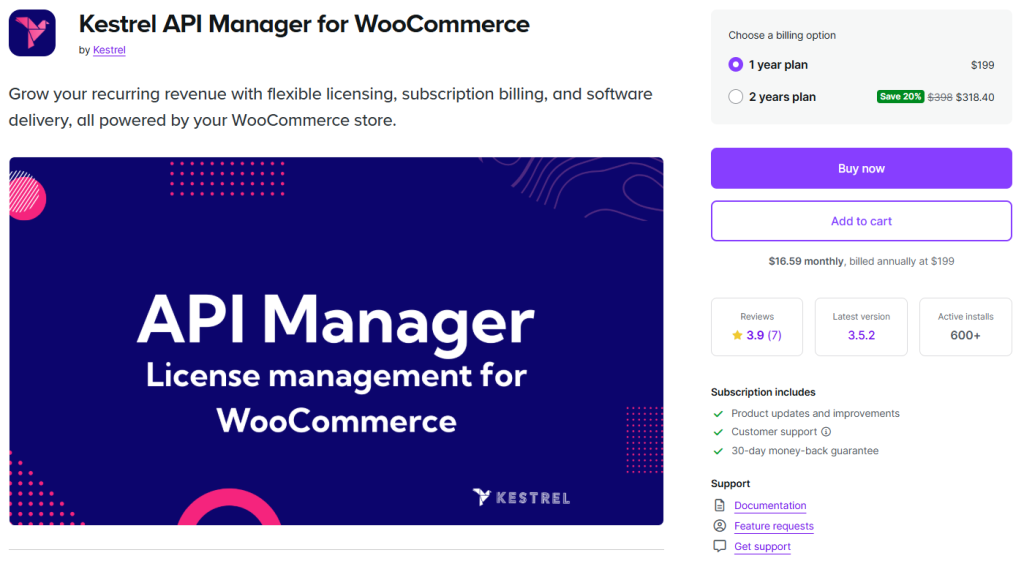
This extension provides API-based license key distribution. It works well if you need deep integration with external systems. It is powerful, but setup can be complex for non-developers.
WooCommerce Software Add-on

A lightweight option from WooCommerce. It handles basic license keys but lacks advanced controls. It may work for simple stores, but not if you need detailed tracking or reporting.
Other third-party solutions
Some developers use external services or custom setups. These can work, but they add costs and often require ongoing maintenance.
When choosing a tool, ask yourself:
- Do I need recurring revenue from renewals?
- Do I want a simple dashboard my team can manage?
- How important is customer self-service access to keys?
For most WooCommerce stores, License Manager for WooCommerce strikes the right balance between automation, control, and ease of use.
Reddit Insights on WooCommerce License Keys

Reddit is full of honest feedback from people using WooCommerce for license keys management. Here are key threads and comments that shows real customer experiences:
“License manager – is it just broken?” (r/WordPress)
One user said they’re testing the License Manager plugin and found it unreliable:
“It is actually not working as it suppose to.” Reddit
This highlights how some stores struggle to get license delivery and validation working smoothly.
“Selling pre-generated software license keys” (r/WordPress)
A user setting up a game key store asked how to deliver pre-generated keys automatically. They shared one solution:
“To sell pre-generated software license keys using WooCommerce, you can use the WooCommerce Software License plugin… this application allows you to automate the delivery of pre-generated serial keys to customers immediately after purchase.” Reddit
That tells us there are third-party plugins that fill gaps where default tools fall short.
“Best license key management plugin” (r/WordPressPlugins)
A user choosing a licensing plugin said:
“I distribute digital products… when a purchase is made, a license key is generated and circulated to the client.” Reddit
They also looked for a key that could be “used an unlimited number of times for the same product… but would only work on one computer” (node-locking). Reddit
This highlights the need for flexibility, such as multi-use or node-locked licensing.
“Selling license keys for commercial software” (r/WooCommerce)
One user said they wanted a store where:
“Each product will have its own stock… Customer should receive a license key per each product bought… Users should be able to log into a personal area… Store admin should be able to upload new stock keys at any time.” Reddit
That matches how store owners often want to manage key inventory, customer access, and self-service.
Key Observations on Reddit Insights
Woocommerce license keys Reddit threads show what store owners deal with every day. Missed key deliveries, messy renewals, weak activation limits, and support tickets piling up. This is exactly where License Manager for WooCommerce makes a difference.
It automates license creation, delivers keys reliably, ties updates and support to active licenses, and gives both you and your customers a clear dashboard. In short, it addresses the very problems WooCommerce users keep raising in these discussions.
Final Words
WooCommerce license keys protect your digital products, prevent piracy, and ensure only paying customers get updates and support. Managing them manually is error-prone, but a dedicated tool makes it simple. License Manager for WooCommerce gives you automated license generation, activation control, and easy customer access.
Start using it today to secure your store and create a smoother experience for your buyers.
FAQs About WooCommerce License Keys
What happens if a license key expires?
When a key expires, the customer loses access to updates and support. They can still use the product, but renewal is required to stay current.
Can I offer lifetime licenses in WooCommerce?
Yes. Many plugins and themes sell lifetime licenses. Just remember that one-time revenue has to cover long-term support and update costs.
How do I stop customers from sharing license keys?
Use activation limits. For example, one key can only be activated on one site. Good license managers also track usage so you can see if a key is being shared.
Do license keys work with WooCommerce Subscriptions?
Yes. Keys can be linked to subscription renewals. When a subscription is canceled, the license becomes inactive.
Where do customers find their license keys?
Usually in the order confirmation email and in their WooCommerce account dashboard. A good system makes it easy to find without contacting support.
What’s the simplest way to start using license keys in WooCommerce?
Install a license management plugin like License Manager for WooCommerce, configure your product settings, and let the system handle license key generation and delivery.