


Most store owners lose revenue because they don’t manage their WooCommerce order license keys. They sell digital products, but the files get shared or reused without limits. And that cuts directly into sales.
You can avoid this with a simple setup. Add secure WooCommerce order license keys to every purchase. It helps you control access, track usage, and keep your software tied to real customers.
This guide shows you how WooCommerce order license keys work, why they matter, and how to generate them the right way. It keeps things simple so you can decide fast and act fast.
What Are WooCommerce Order License Keys?
WooCommerce order license keys are unique codes that control access to your digital products. Each key ties the order to a specific customer. This stops people from sharing files or using your software without permission.
These keys work like a lock. Only the person with the valid key can activate or use the product. And if they refund or cancel, the key becomes invalid. Simple and clean.
When you use WooCommerce order license keys, you get clear control. You know who activated what, how many times, and on which plan. And you can limit usage so your product stays protected.
Why You Should Use WooCommerce Order License Keys
WooCommerce license keys give you control that normal digital downloads don’t. Without them, anyone can copy your files and share them. And you won’t even know it happened.
Here’s what these keys help you do:
- Stop unpaid use. Only customers with valid keys can activate your product.
- Limit activations. One order can have one activation or many. You decide.
- Protect updates. If a key expires, the customer loses access to updates.
- Handle refunds cleanly. When you refund an order, the key becomes invalid.
- Track usage. You can see how many times a customer activated or deactivated the product.
If you sell plugins, themes, templates, or SaaS access, license keys through WooCommerce license key generator tools give you the structure you need to keep your product safe and your revenue steady.
What are the Recommended License Key Settings
You don’t need a complex setup. Simple rules work best. The goal is to create WooCommerce order license keys that are safe, unique, and easy for customers to use.
Here are the settings that make sense for most stores:
| Setting | Recommendation | Why it works |
|---|---|---|
| Length | 16–20 characters | Harder to guess but still easy to enter |
| Character type | Mix of letters and numbers | Strong enough without confusing symbols |
| Prefix | Short product code (like PLG or THEME01) | Helps you see which product the key belongs to |
| Separator | Use a dash between segments | Improves readability |
| Activations | 1–5 depending on product | Prevents abuse and keeps usage fair |
| Expiry | Optional. Use it only for subscriptions | Keeps updates tied to active customers |
A clean, structured key helps both you and your users. Also, these settings help you avoid and track unauthorized software installations.
Steps to Generate WooCommerce Order License Keys
If you want to generate WooCommerce license keys for WooCommerce order, here is what you should do:
- Through your WordPress dashboard, go to Plugins > Add Plugins.
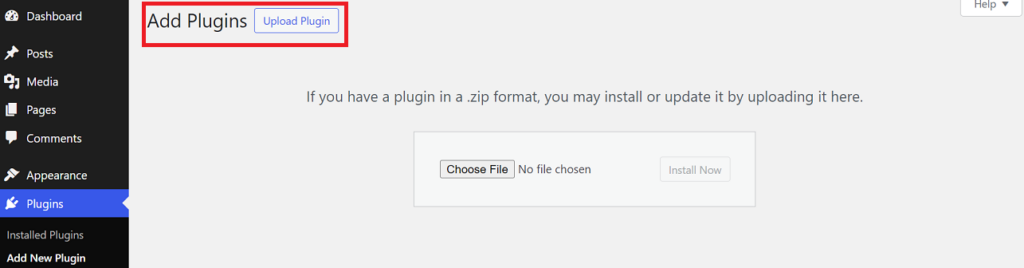
- Buy a paid WooCommerce plugin; our recommended choice is License Manager for WooCommerce.
- Click ‘Activate License’ to activate the plugin instantly.
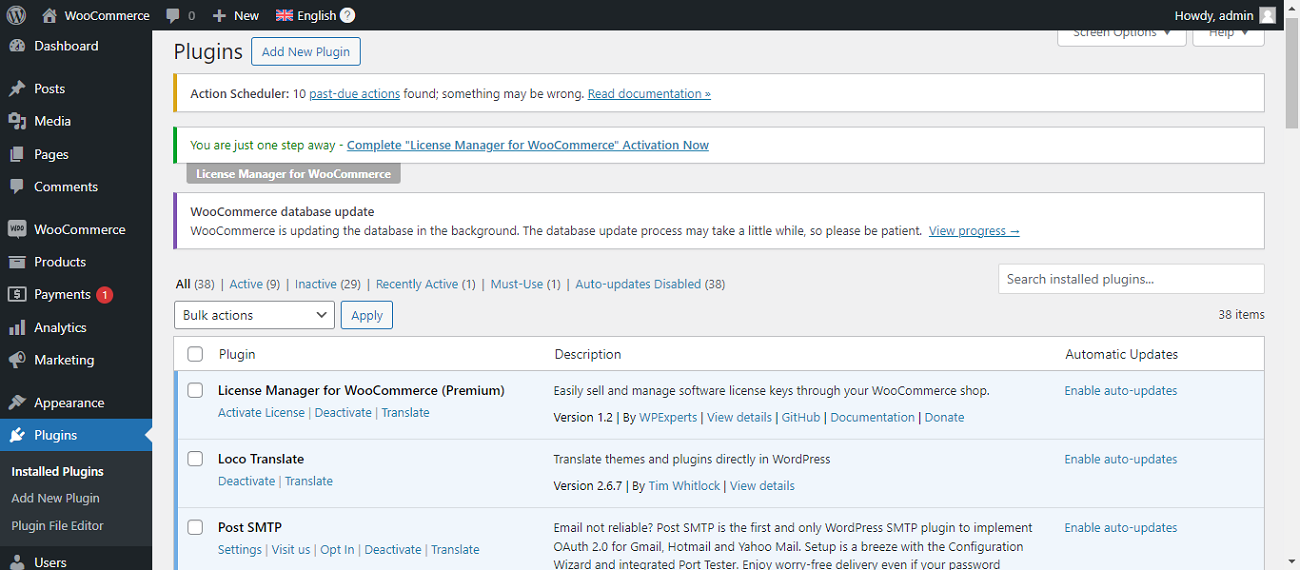
- Click the ‘WooCommerce’ tab available on the left side of the screen. Once you click the WooCommerce tab, you will see the ‘ Generators’ option on the left side of your screen.
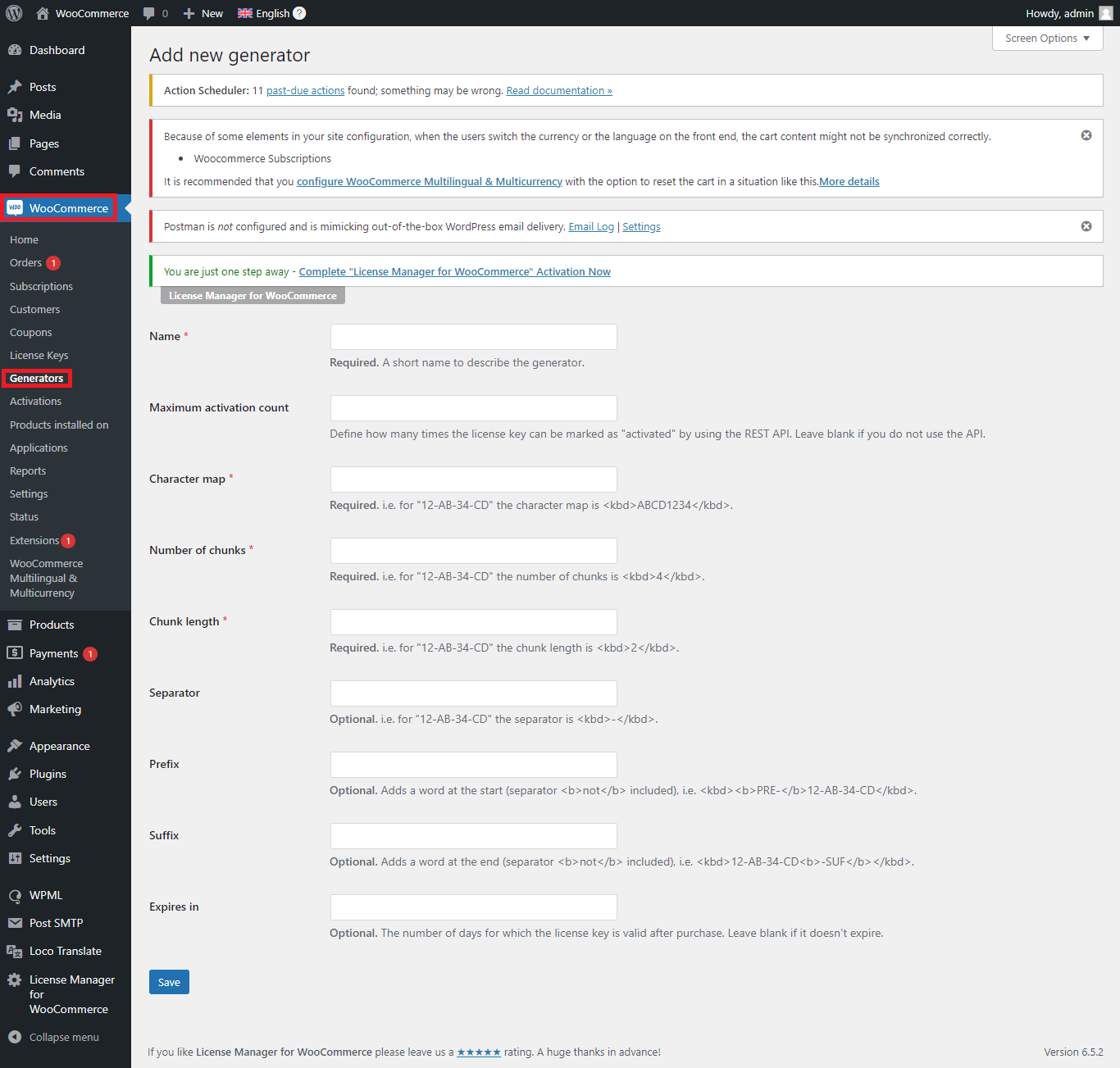
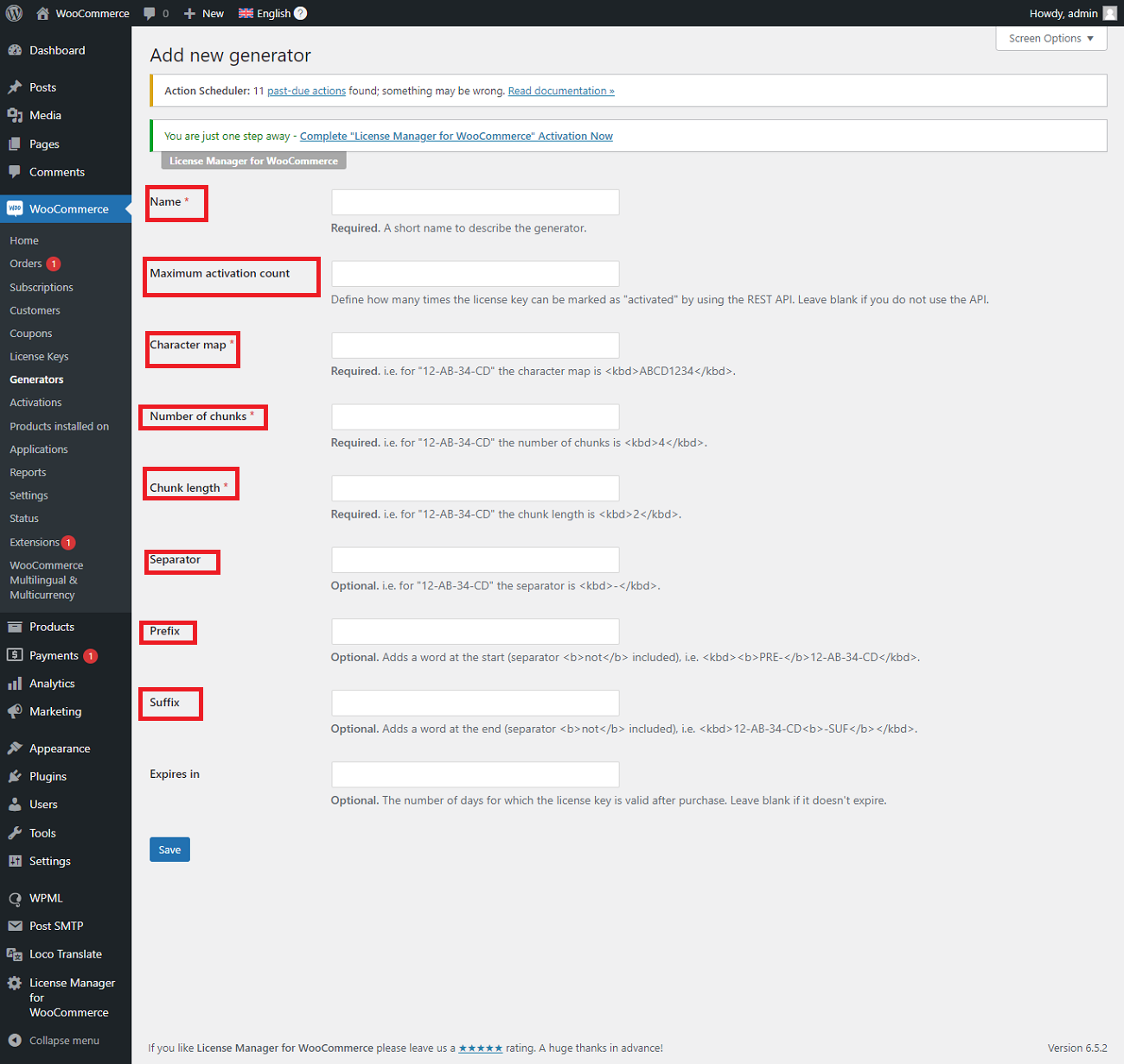
- Click the ‘Add new generator’ option to generate license keys for WooCommerce orders.
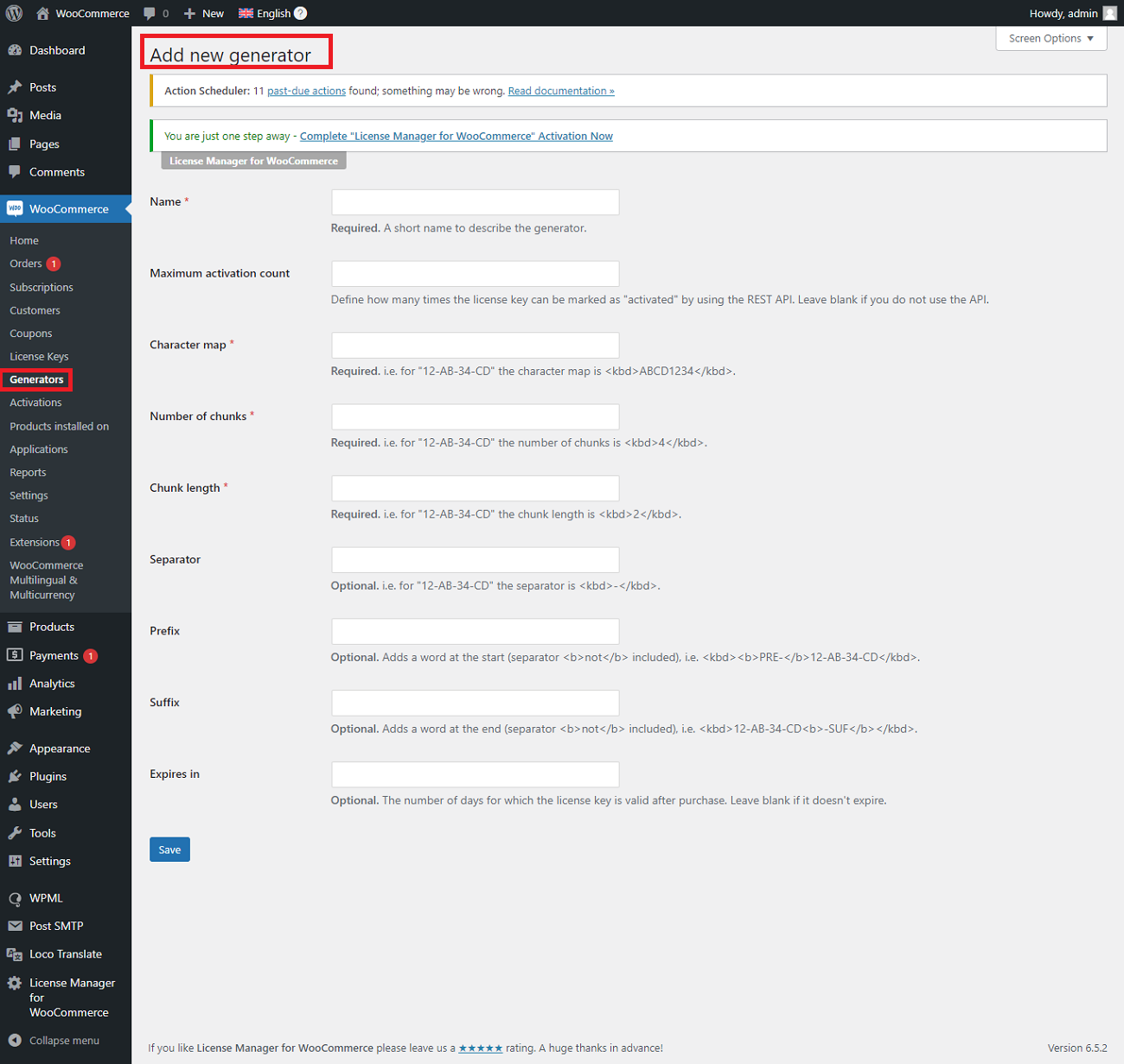
- Update the required fields such as name, maximum activation account, character map, separator, suffix, expires in, and more to generate license keys for WooCommerce.
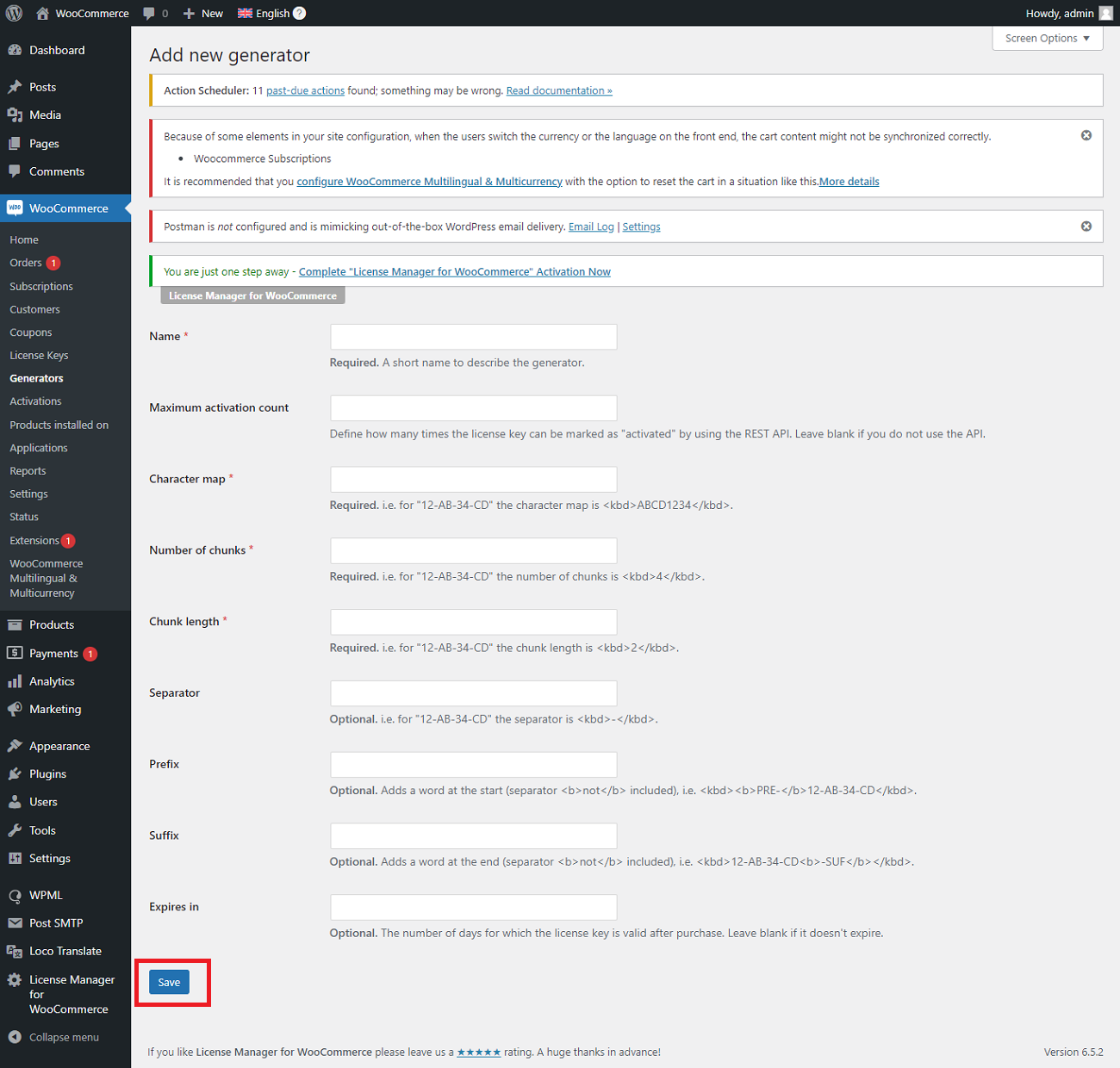
- Click the ‘Save’ button to complete the license key generation process for WooCommerce Order.
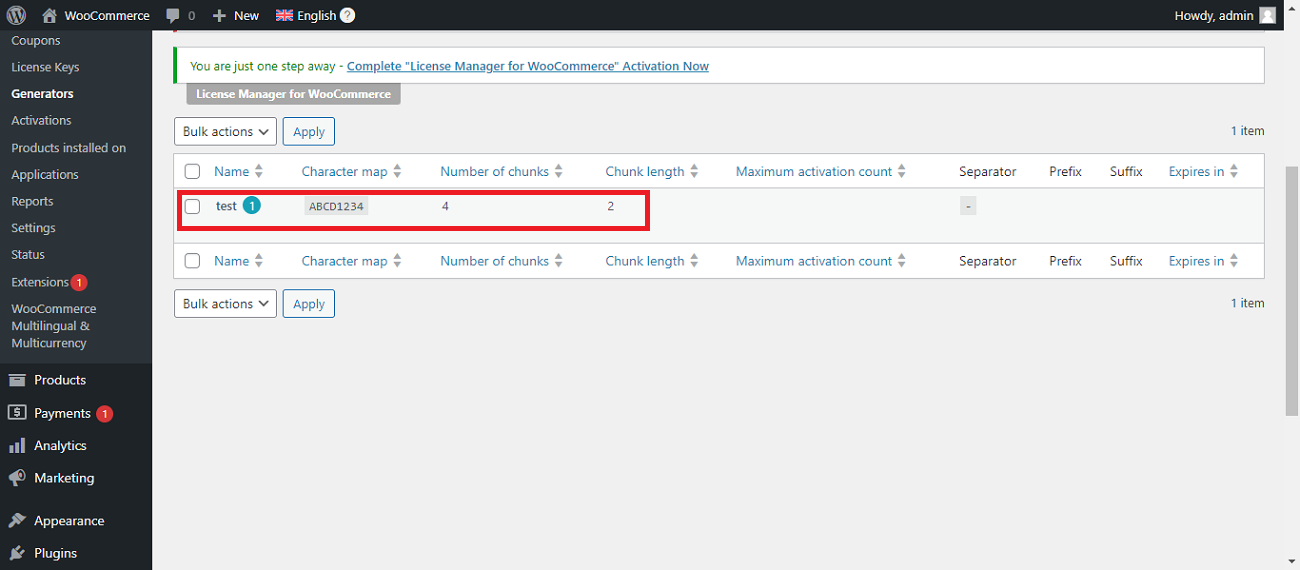
- You will see a new generator created by the name of test 1 as a reference.
Pricing
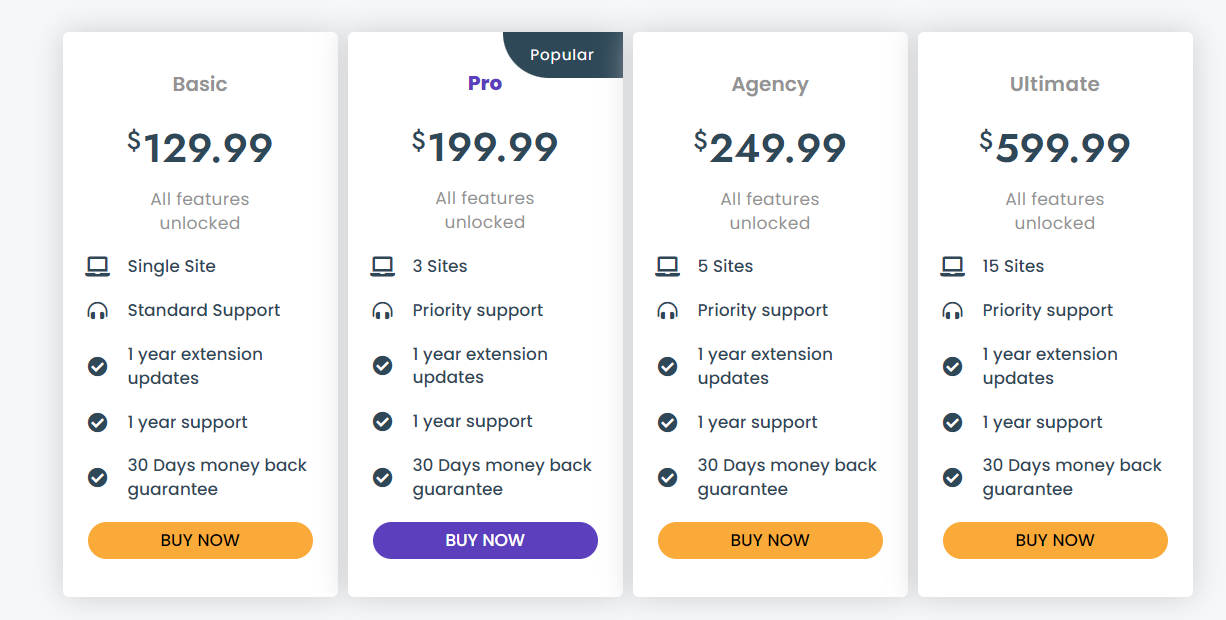
- The Basic plan is available at $129.99 per year.
- The Pro package is available at $199.99 per year.
- The Agency plan is available at $249.99 per year.
- The Ultimate package is available at $599.99 per year.
Advantages of Generating WooCommerce License Keys Through the Plugin
When businesses use License Manager for WooCommerce, a robust plugin to generate license keys, they obtain the following benefits in return:
- Improved Online Security
- Enhanced Efficiency
- Automation
Improved Online Security
License key generation is cumbersome if you do it manually. Therefore, you must use the plugin to reduce human errors, as complex and strong keys are a must for protecting digital products from hackers and other unwanted people.
Enhanced Efficiency
Automated license key generation helps e-commerce companies or firms save crucial resources like time, money, and human resources. Additionally, it prevents illegitimate access to their digital products.
Automation for Removing Manual Errors
Automation allows businesses to overcome human errors and inconsistencies comprehensively. Unfortunately, manual license key generation can cause discrepancies like typos, duplication issues, etc., and negatively affect the workflow of any e-commerce business.
Hence, businesses must generate license keys through automation to streamline their core operations by removing manual errors.
Wrapping Up
We expect you to like our blog post about generating license keys for WooCommerce orders for small or large businesses.
This way, they can smartly safeguard their desired digital products and businesses. Besides, they must follow WooCommerce license management best practices to reduce IT costs and improve profitability.
This blog post shows how to generate license keys without fuss using one of the best plugins, License Manager for WooCommerce. You do not have to be an expert to make the most of this impactful solution.


