Quick answer: To sell license keys for your own indie game, set up a WooCommerce store, add License Manager for WooCommerce Pro, create a key generator, attach it to your game product, and let each completed order deliver a unique key plus the download link. If you want the game itself to check keys, call the plugin’s activation API from your launcher or game client. You keep the sale minus your payment processor’s fee, instead of giving a store 10–30%.
Who this is for: solo devs and small studios selling their own PC, Mac or Linux games, soundtracks, art packs or tools. You can keep your Steam or itch.io page and add a direct store alongside it.
Why sell your game from your own store?
Stores give you reach, but they take a share of every copy. Steam keeps 30% of a game’s revenue up to $10M (then 25%, then 20% above $50M) and charges a $100 Steam Direct fee per game, recouped after $1,000 in adjusted gross revenue (fee comparison, checked Sept 2026). itch.io lets you choose its share from 0–100% with a 10% default, plus about 2.9% + $0.30 for Stripe or PayPal (itch.io payments docs). Gumroad charges 10% + $0.50 on direct sales and 30% on its Discover marketplace (Gumroad pricing).
| One $15 copy | Store cut | Roughly what you keep |
|---|---|---|
| Steam | 30% | $10.50 |
| itch.io (default share) | 10% + ~2.9% + $0.30 | ~$13.27 |
| Gumroad (direct link) | 10% + $0.50 | $13.00 (Gumroad also handles tax) |
| Your WooCommerce store | 0% (card fee only, e.g. ~2.9% + $0.30) | ~$14.27 before tax |
The extra dollars matter, but the bigger wins are ownership: you keep the customer email list, set your own launch discounts and bundles, sell supporter editions, and are not tied to one platform’s rules. Many devs keep Steam for discovery and send their community (Discord, newsletter, YouTube) to a direct store.
The honest trade-off: a WooCommerce store is not a merchant of record. Steam and Gumroad handle sales tax or VAT for you; on your own store, you are the seller and need a tax setup. Factor that in before you switch everything.
What you need
- A WordPress site with WooCommerce and a payment gateway (Stripe, PayPal or similar).
- License Manager for WooCommerce Pro for keys, activations and releases.
- Your game build (zip or installer) and, optionally, a launcher or small check in the game that can talk to an HTTPS API.
Step 1: Create a key generator for your game
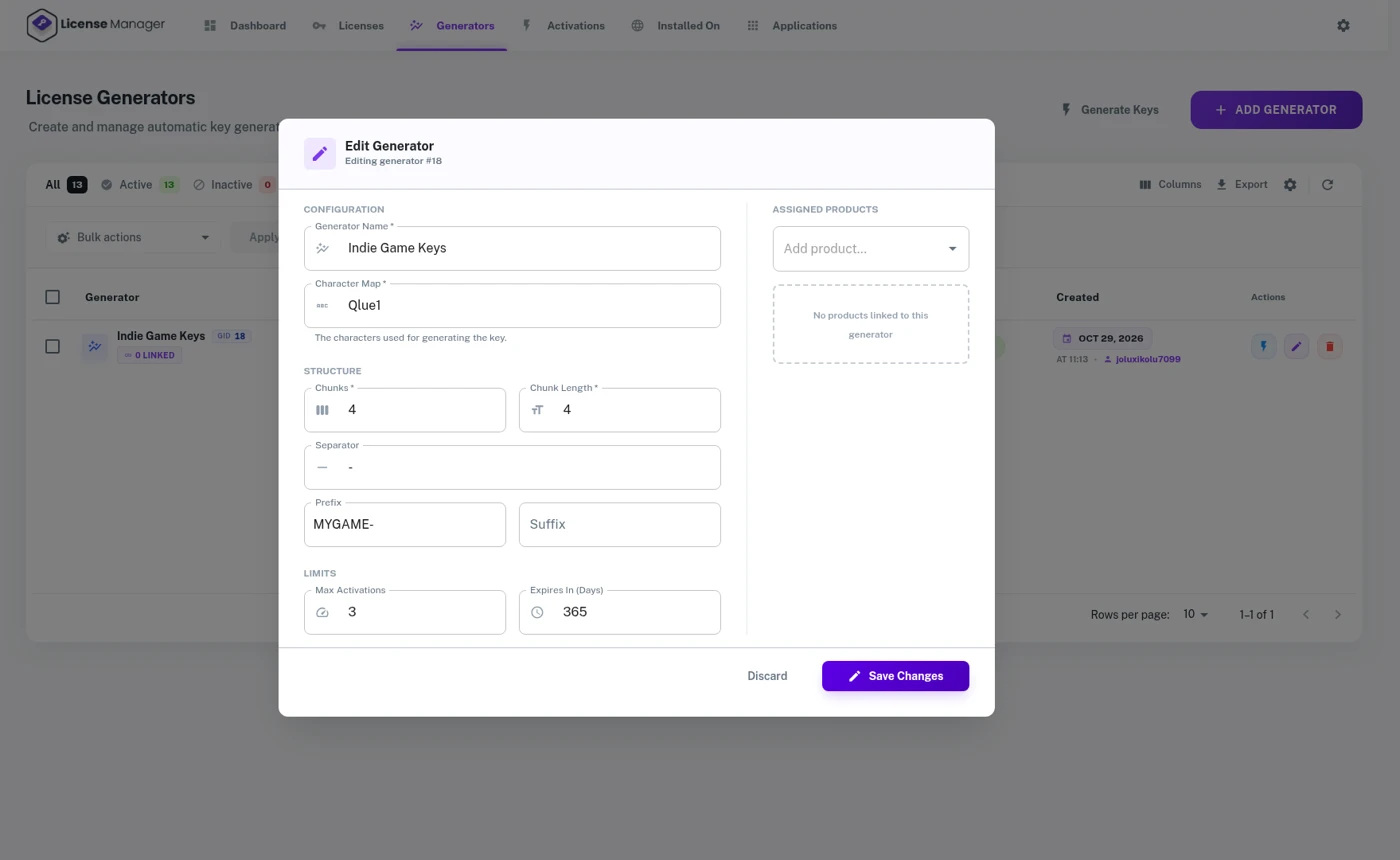
In License Manager, add a generator. You choose the character set, number of chunks, chunk length, separator, and an optional prefix such as MYGAME-. You can also set how many days a key is valid (leave empty for a lifetime purchase, which suits most games) and a maximum number of activations, for example 3 PCs per key. For background on key formats, see what WooCommerce license keys are.
Step 2: Create the game product
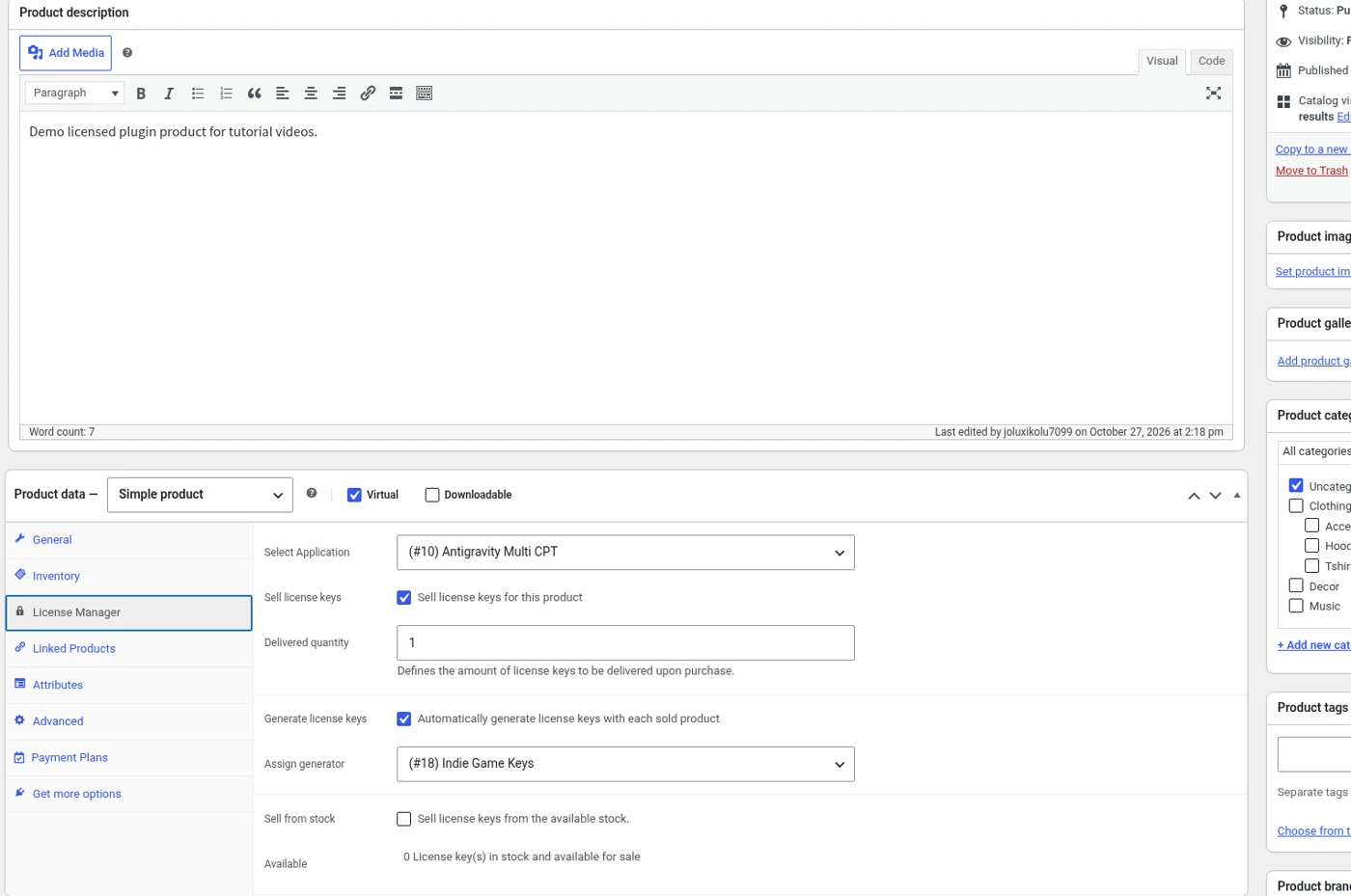
- Add a WooCommerce product, mark it virtual and downloadable, and attach the build, or upload it as a release in License Manager (Step 5).
- In the product’s License Manager tab, choose sell license keys and pick your generator. If you already have a batch of keys (for example from a Kickstarter), import them as stock instead.
- Use variations for editions: Standard (1 key, 2 devices) and Deluxe (soundtrack + art book, 3 devices). Each variation can use its own generator.
Every order gets its own key, automatically
License Manager for WooCommerce Pro generates a unique key per purchase and puts it in the order email and My Account, next to the download.
View PricingLive DemoStep 3: Let each order deliver the key and the download

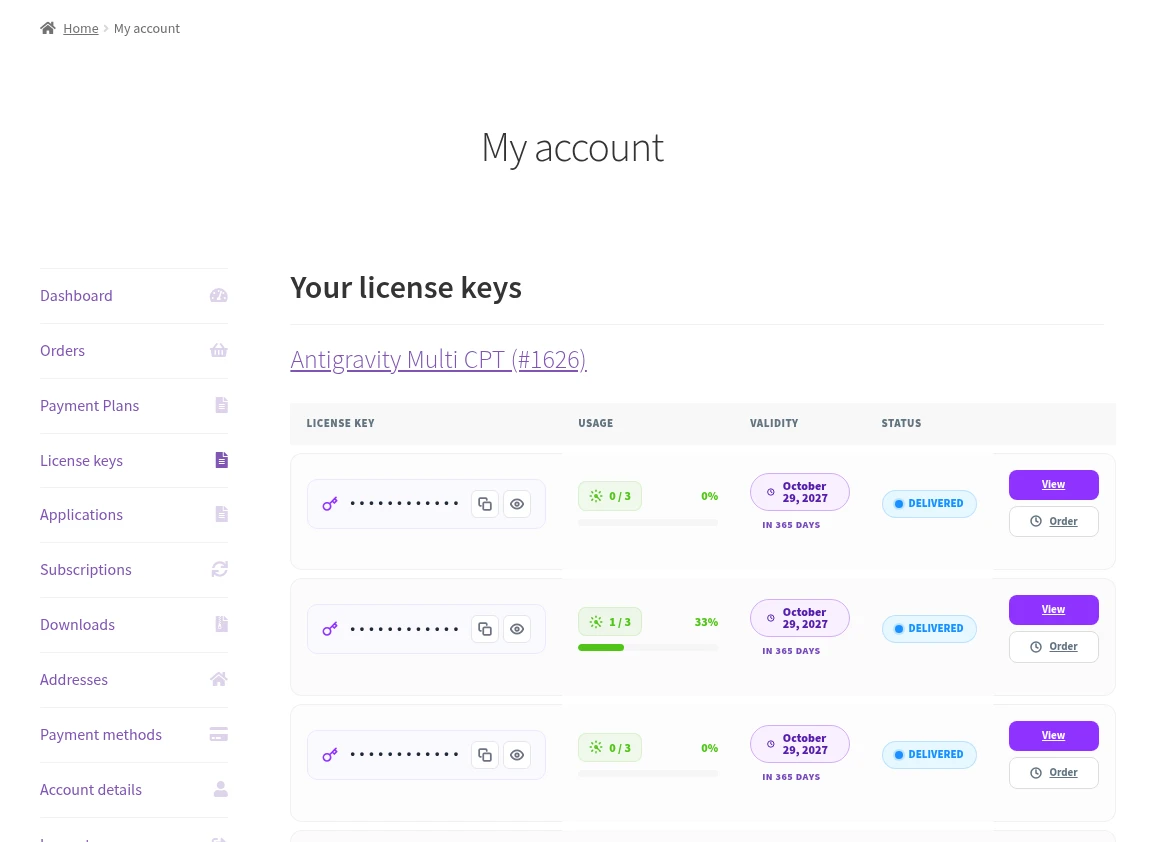
Set the order status that releases keys, usually Completed. When the payment clears, the player gets a unique key in the order email and on the My Account page, beside the download. Keys are encrypted in your database and can be exported to CSV or PDF. More on this flow: generating license keys for WooCommerce orders.
If an order is refunded or cancelled, the plugin can switch the key to a status you choose, so refunded keys stop working in your activation check.
Step 4 (optional): Check keys from your game or launcher
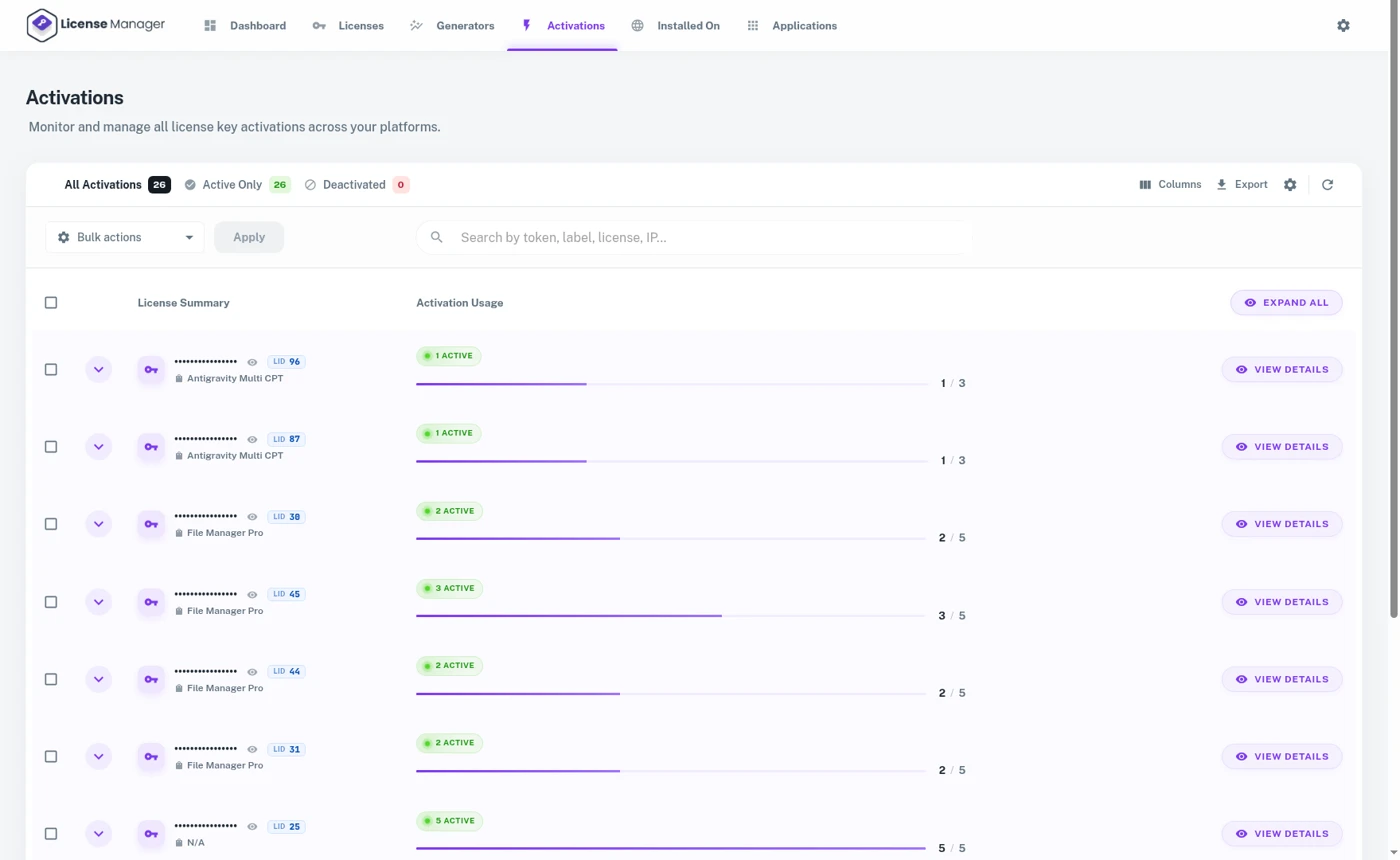
Delivering keys is enough for many games, especially if you just want to gate updates and support. If you want a light activation check, your launcher or game client calls the plugin’s REST API:
- Activate: send the key plus a device label. The server enforces your device limit and returns a 40-character activation token, which the game saves locally.
- Validate: on launch (or once a week), check the key. Keys that aren’t active, or that have expired, are refused.
- Deactivate: free a device when a player moves to a new PC. Players can also do this themselves in My Account if you enable it.
For offline-friendly games, validate online once at activation, cache the token, and re-check only when the player is connected. Think of keys as a light lock that respects paying players, not as heavy DRM. The idea behind binding a key to a machine is covered in node-locked licenses. A full engine walkthrough (Unity, C#) is coming in our next guide.
Never ship your admin API secret inside the game. Call the API through your own small backend, or use the public activation routes that need only a public key, application ID and license key.
See a key, its activations and the download page
Open the demo to see what your players see in My Account and what you see in the admin.
View PricingLive DemoStep 5: Ship patches only to valid keys
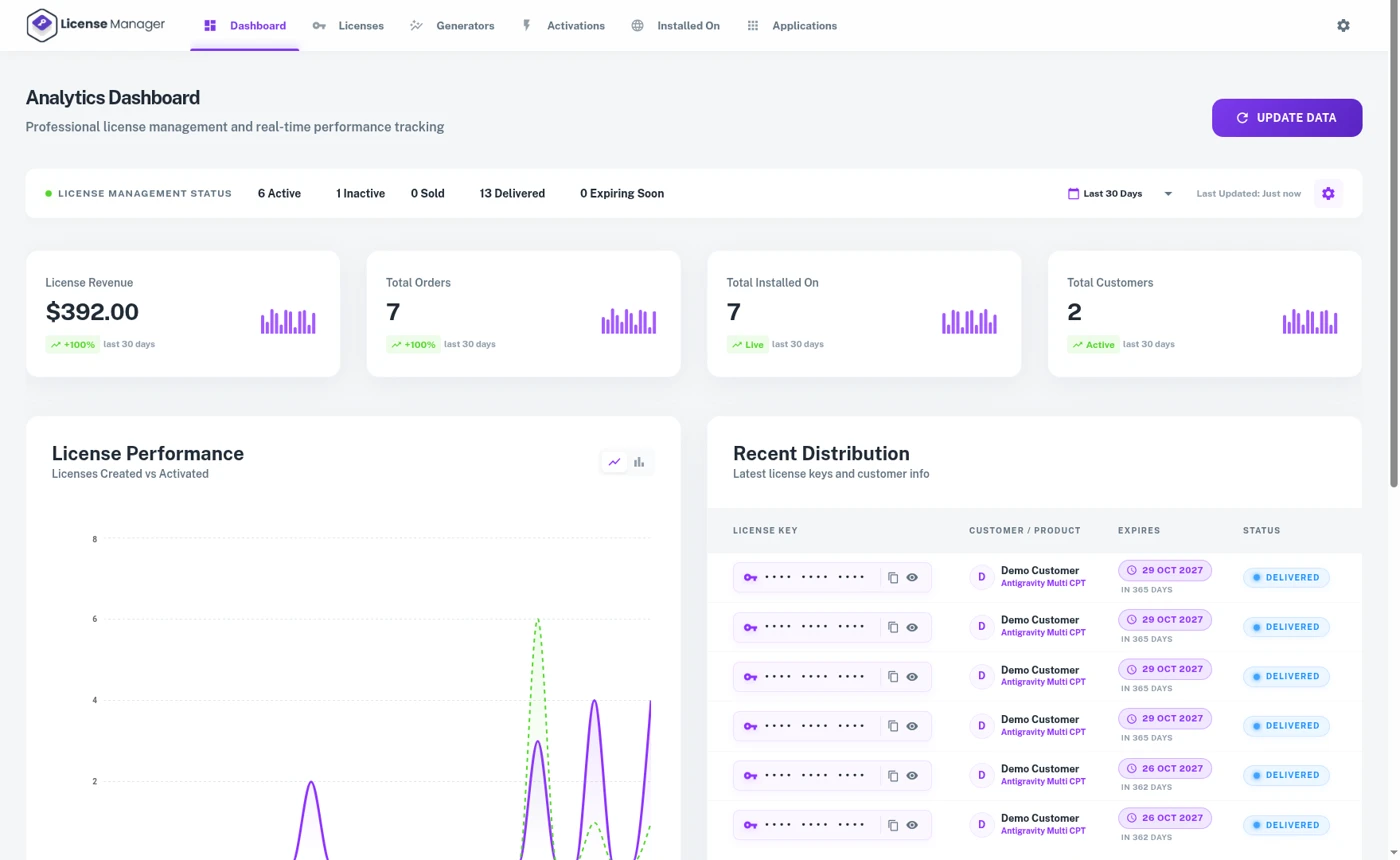
Create an application in License Manager and upload each build as a release with a version number and changelog. My Account lists the downloads, and the update endpoint only serves keys that are active and not expired, so a launcher can fetch patches without you running a separate patch server. See licenses for applications and software.
Ideas that work well for game makers
- Direct-store launch discount for your newsletter or Discord, without waiting for a store sale.
- Supporter edition with soundtrack, art book and an extra device slot.
- Early access as a product whose key gets the full release later through the same release channel.
- Bundles of your earlier games, each with its own key, in one order.
- Press and creator keys issued from the admin and tracked, so you can see which ones were used.
Steam, itch.io, Gumroad or your own store?
| Steam | itch.io | Gumroad | WooCommerce + LMFWC Pro | |
|---|---|---|---|---|
| Platform share | 30% (25%/20% at scale) | You choose, 10% default | 10% + $0.50 direct | None (flat yearly plugin fee) |
| Discovery | Large | Medium | Small | You bring the traffic |
| Tax handling | Handled | Depends on payout mode | Merchant of record | You are the seller |
| Your own keys + device limits | Steam keys only | Basic download keys | Basic license keys | Generators, activations, tokens |
| Customer list | Platform owns it | Limited | Yes | Yes, on your server |
Most indie devs don’t pick one: they list on Steam for reach and run a direct store for their own community, where every sale keeps more.
A flat yearly fee, not a cut of every copy
$129.99, $199.99 or $249.99 per year for 1, 3 or 15 store sites. 14-day money-back guarantee.
View PricingLive Demo