
Documentation
Getting Started
- Introduction
- Setup
- General Settings
- WooCommerce
- Tools
- Analytics Reports
- Dashboard
- License
- Generator
- Activations
- Applications
- Installed On
- API Logs
- WooCommerce Products
- Customer License Manager Flow
Integrations
For Developer
Introduction
Your software. Your rules. Your revenue.
License Manager is a complete licensing and monetization platform built for WordPress — designed to give developers and software businesses full control over how they sell, protect, and scale their products.
Whether you’re selling WordPress plugins, themes, or SaaS products, License Manager handles everything from license generation and activation to payment collection — all without locking you into a third-party ecosystem.
Ship with confidence using our WordPress SDK for plugins and themes, or the SaaS SDK for standalone software products. Both allow your customers to get started instantly while giving you complete control over every license, activation, and transaction.
License Manager now also includes a modern React–based interface, delivering a faster, smoother, and more responsive user experience. For users who prefer the previous interface, the legacy UI is still available and can be switched back at any time.
Unlike most licensing platforms, we don’t dictate how you get paid. Connect any payment gateway you already use — or the one your customers prefer — for both one-time payments and recurring subscriptions.
We take zero commission. Every dollar your software earns stays with you — no cuts, no hidden fees, and no revenue sharing.
Start selling your software in as little as 5 minutes. Install, configure, and go live without complex setup, lengthy integrations, or unnecessary compromises.
One platform. Any product. Any payment. Total control.
Requirements
To ensure smooth operation and proper functionality of the site, the following requirements must be met:
- Php 7.4 or above
- WordPress 5.6 or above
- WooCommerce 6.0 or above
Installation
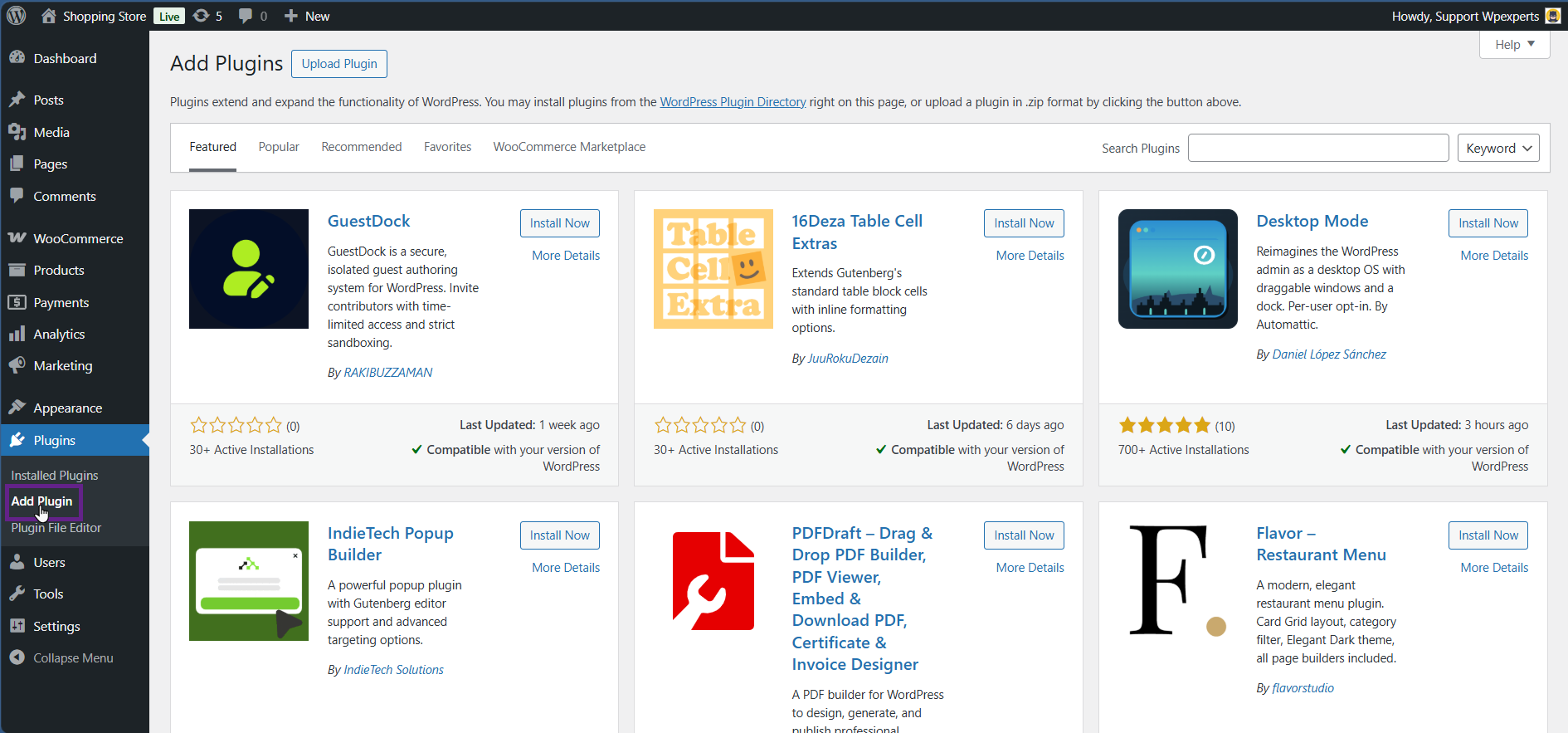
- Go to the WordPress Admin Dashboard > Plugins > Add Plugin.
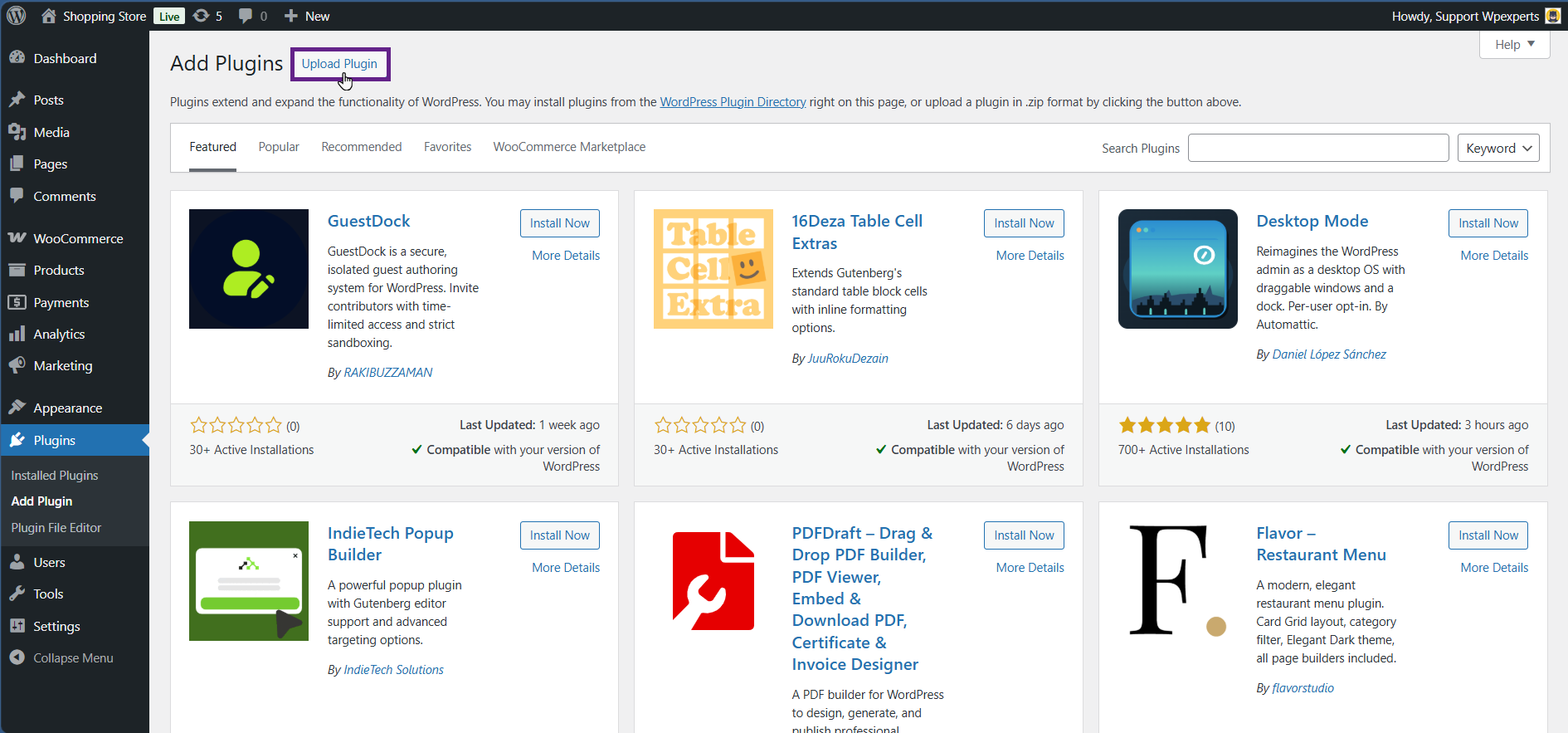
- Click the Upload Plugin button.
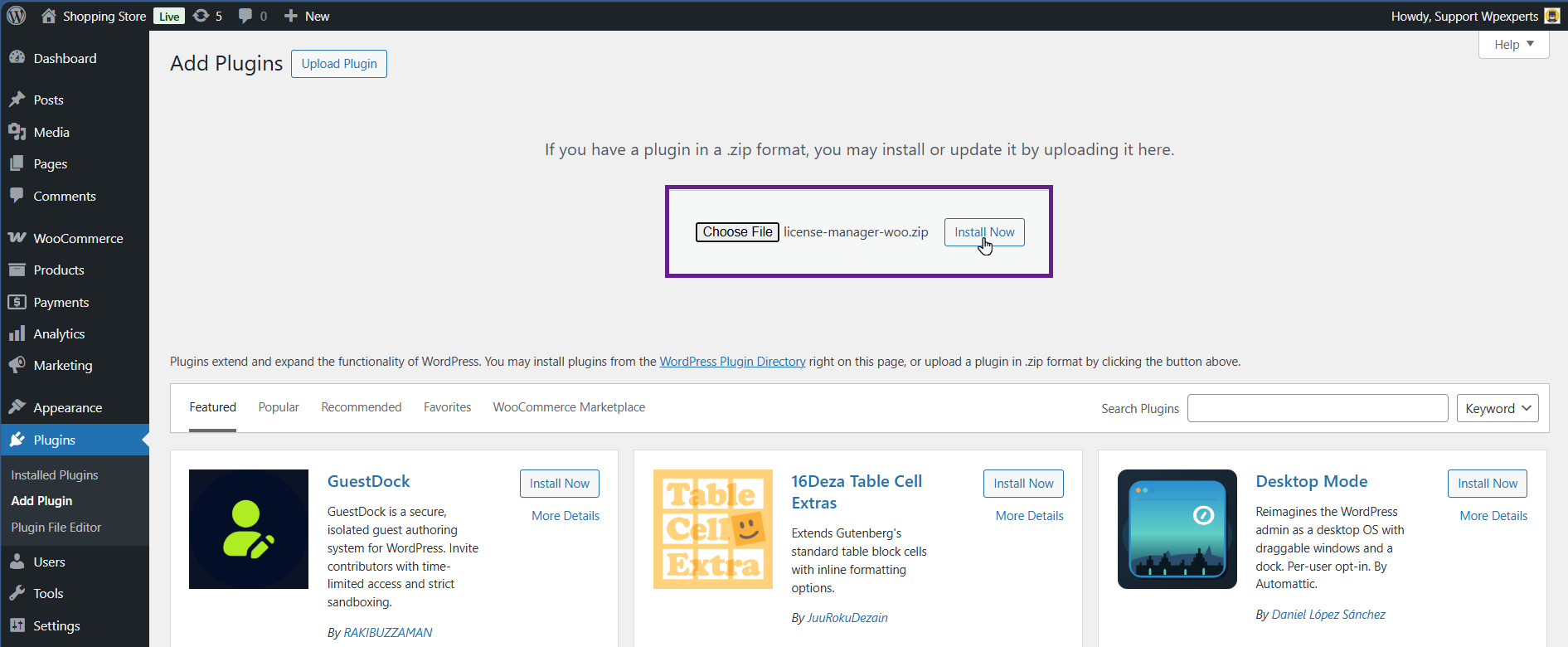
- Upload the License Manager zip file and click the Install Now button.
- Now, activate the plugin, and you’re ready to go.
Note: Make sure the WooCommerce plugin is also installed and activated.