
Documentation
Getting Started
- Introduction
- Setup
- General Settings
- WooCommerce
- Tools
- Analytics Reports
- Dashboard
- License
- Generator
- Activations
- Applications
- Installed On
- API Logs
- WooCommerce Products
- Customer License Manager Flow
Integrations
For Developer
WooCommerce Products
Store administrators can sell license keys tied to WooCommerce products, supporting both Simple and Variable product types.
- Navigate to the Admin Dashboard > Products > All Products.
- Go to the License Manager sub tab.

- Under the License Manager sub-tab, the first option is Select Application. This setting allows you to assign a specific application to a WooCommerce product, enabling you to sell the keys generated for that created application.
- Sell License Keys: Make sure to check the Sell License Keys checkbox. If this is not enabled, license keys will not be delivered to customers upon purchasing the product.
- Delivered Quantity: Enter the number of license keys that should be delivered to the customer upon a single product purchase.
- Generate License Keys: Enabling this option allows the system to automatically generate and assign license keys using a pre-configured key generator upon purchase. If this option is left unchecked, you will need to manually assign license keys to the product yourself.
- Assign Generator: This option lets you choose a specific key generator that will handle automatic license key creation for this product.
- Sell from Available Stock: Choose whether to sell license keys from the available stock.
Note: If you want to sell license keys from your existing stock, enable the Sell from Stock option. If there are not enough license keys available in stock, simply enable the Generate License Keys option and select the desired license generator. This will allow new license keys to be generated automatically when the product is sold.

Variable Product
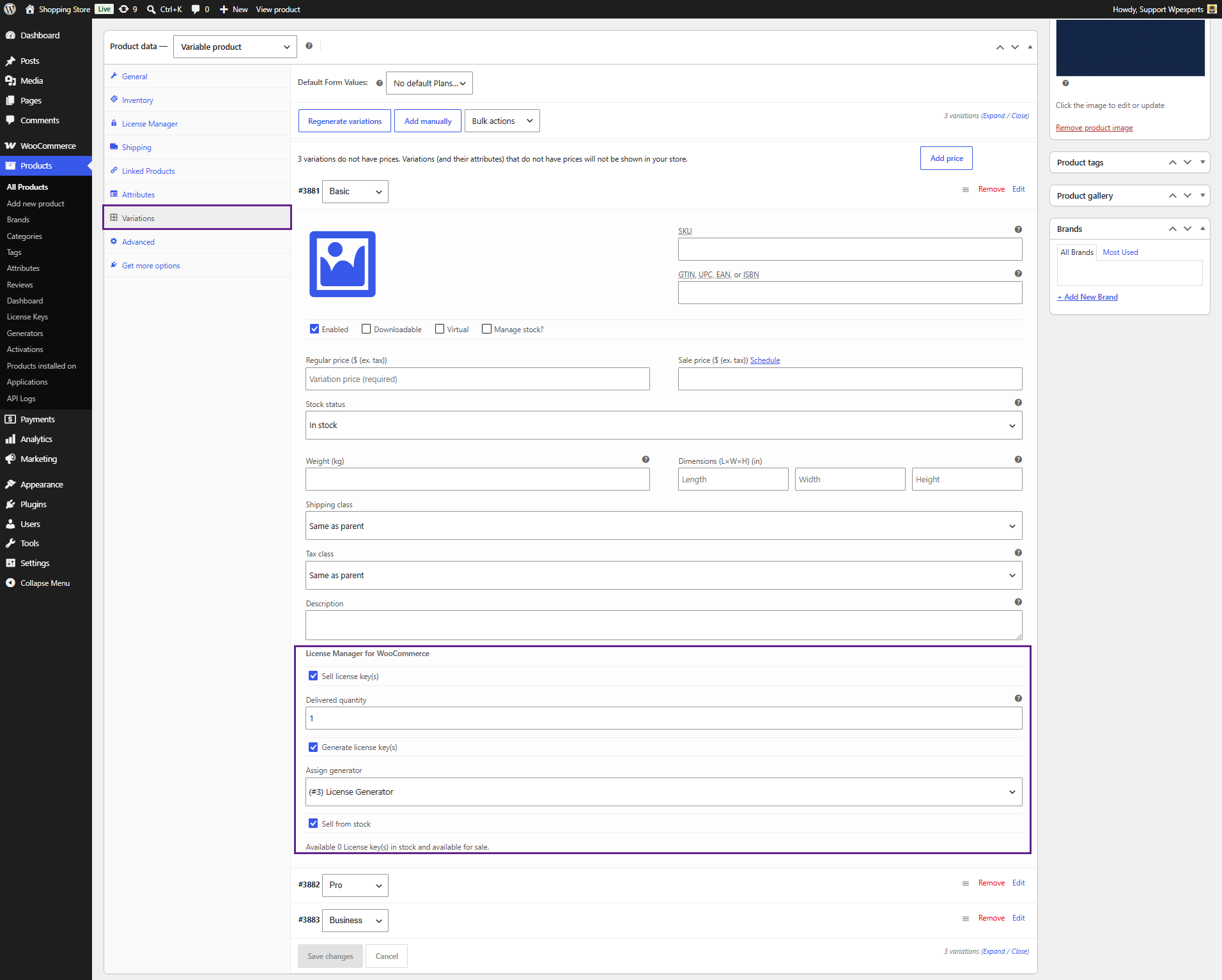
Store administrators can easily assign license keys to specific variations of a variable product.
- Navigate to the Variations sub-tab and configure the License Manager section.
WooCommerce Orders
- Admins can manage license keys for orders by navigating to the WordPress Dashboard > WooCommerce > Orders.
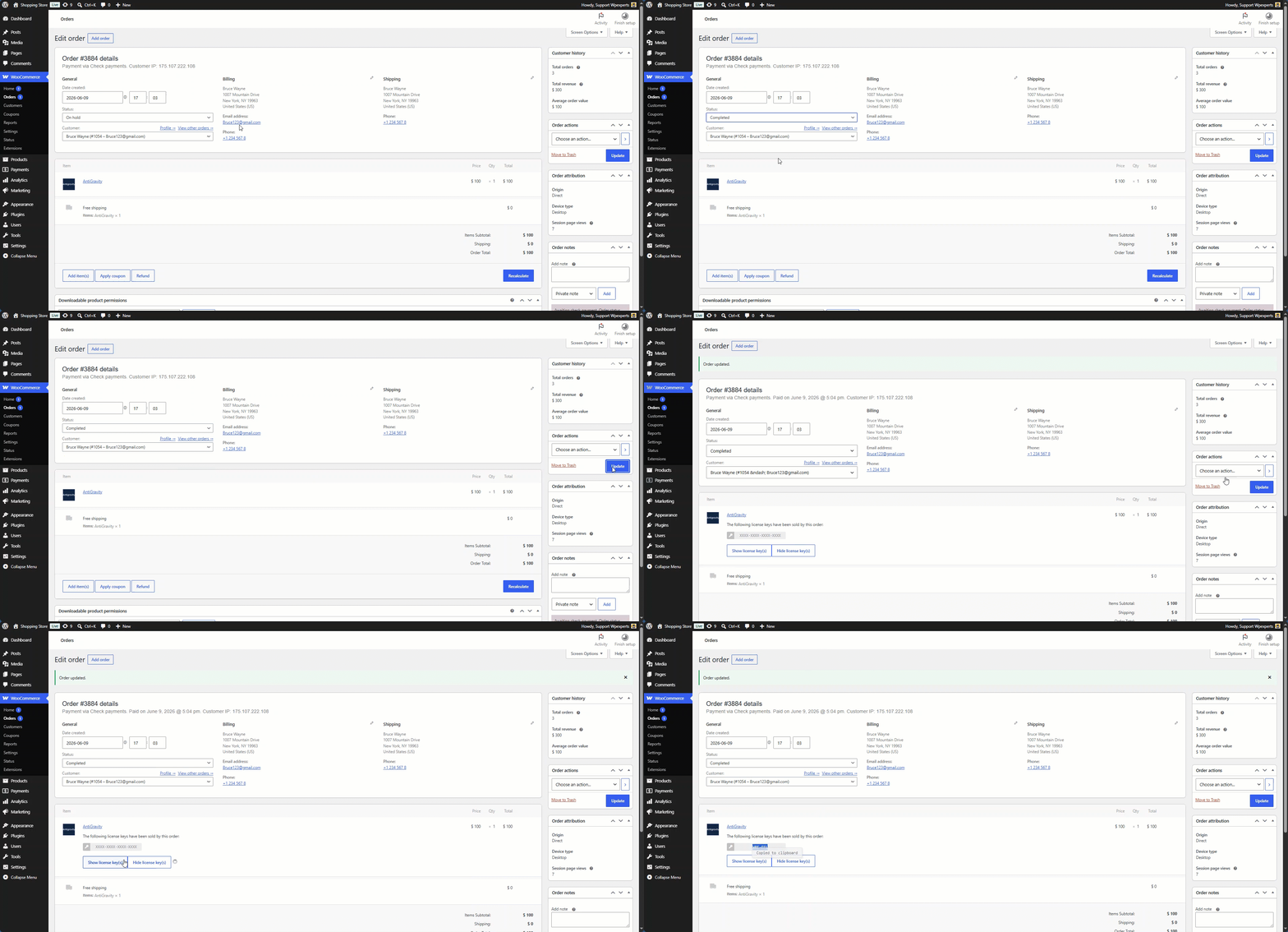
- Admins can choose exactly when to deliver the license key—for example, when an order status changes from ‘Pending‘ to ‘Completed.’ This can be configured by navigating to WooCommerce > License Manager > WooCommerce.
