Documentation
Getting Started
- Introduction
- Setup
- General Settings
- WooCommerce
- Tools
- Analytics Reports
- Dashboard
- License
- Generator
- Activations
- Applications
- Installed On
- API Logs
- WooCommerce Products
- Customer License Manager Flow
Integrations
For Developer
Traceback
- This feature offers an API Traceback (Logging) option, enabling the admin to monitor and debug API requests and responses. The Traceback option includes API Activity Log, API Exception Log, and API Output Log.
- Enable the API log toggle buttons to record API activities in the log file. Finally, click the Save Changes button.
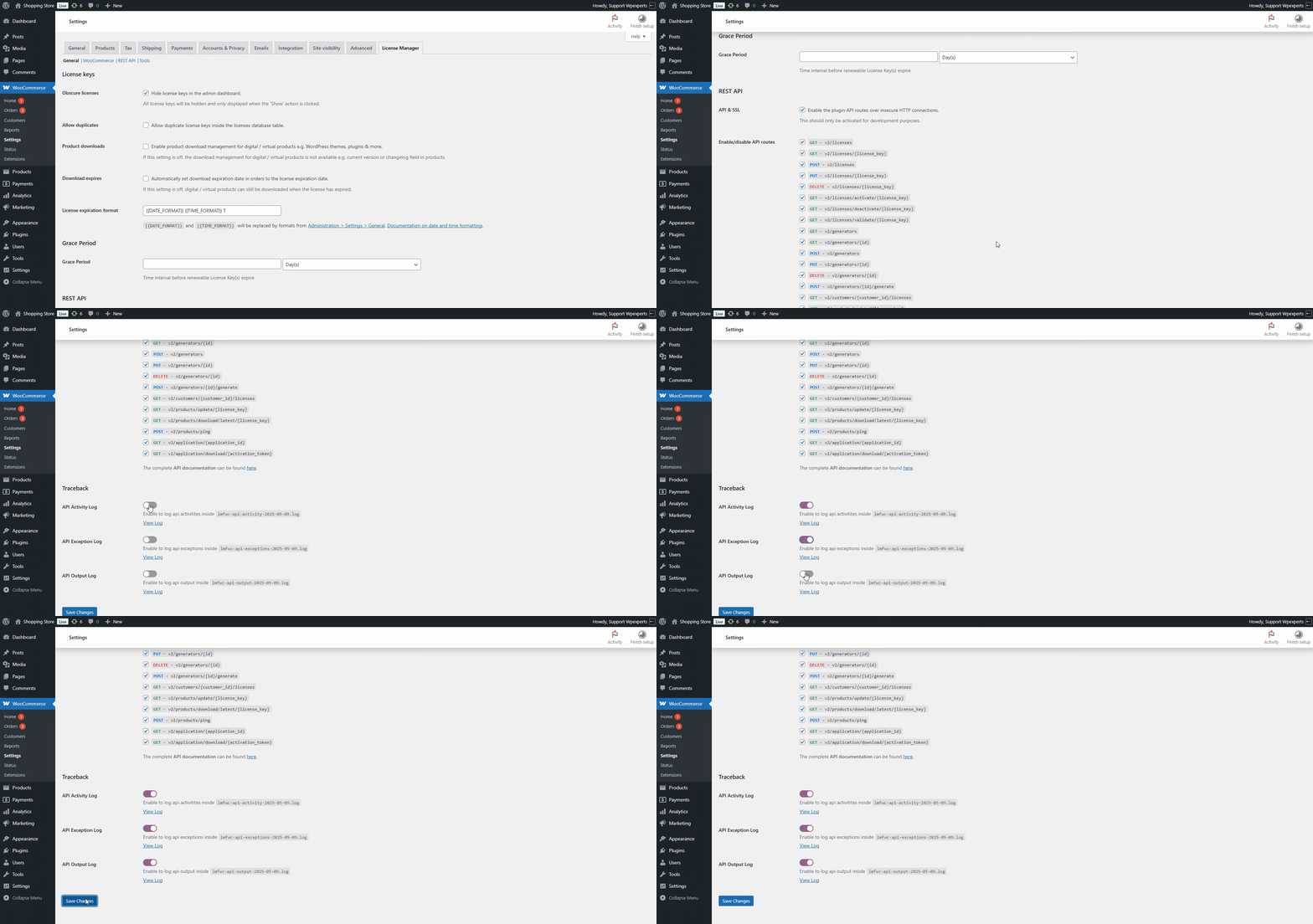
- The admin can view the logs for each API separately, including the API Activity Log, API Exception Log, and API Output Log, by clicking their respective View Logs buttons. Before this, a test API will be executed on Postman.
API Activity Log
- This log records all API requests made, including the request details, timestamps, and status codes. Useful for tracking API usage.
- Execute a test API on Postman.

- Next, go back to the Admin Dashboard, navigate to WooCommerce > Settings, and click the View Log button for the API Activity Log.
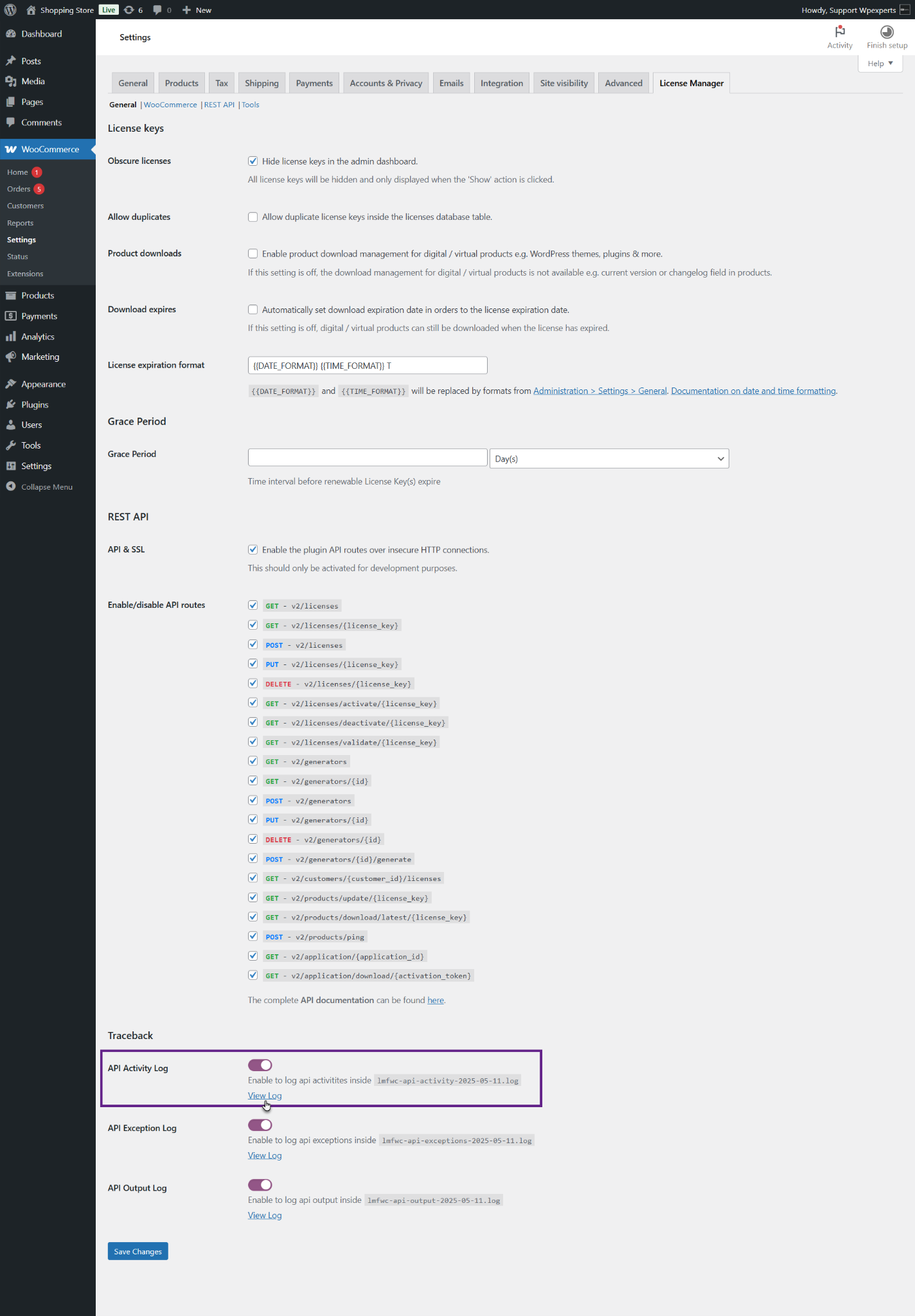
- The admin will be redirected to the API activity log file. As you can see, the API log has been successfully recorded.

API Exception Log
- This log captures any errors or exceptions that occur while processing API requests. It helps in diagnosing and fixing problems.
- Execute a test API on Postman.

- Next, go back to the Admin Dashboard, navigate to WooCommerce > Settings, and click the View Log button for the API Exception Log.
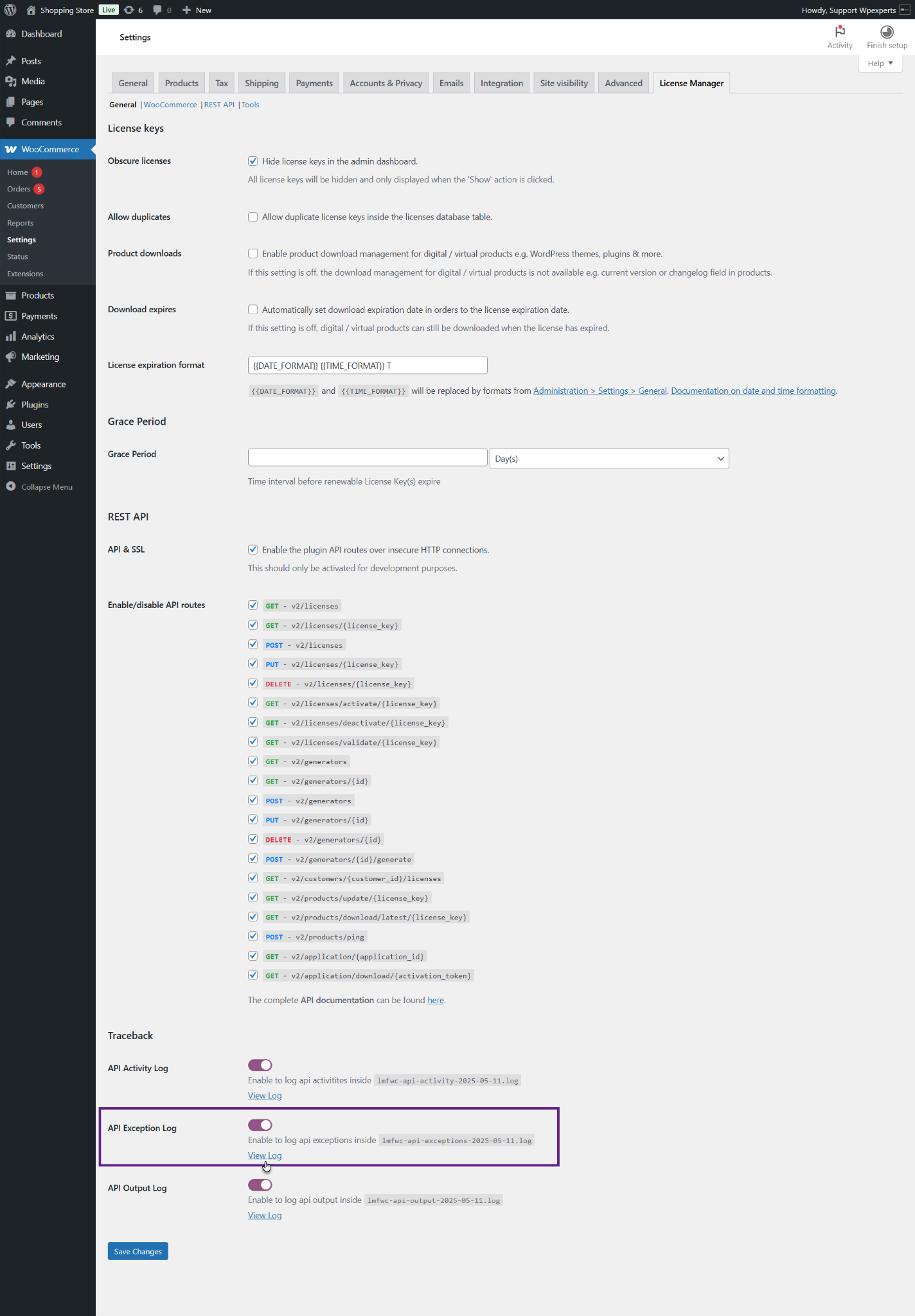
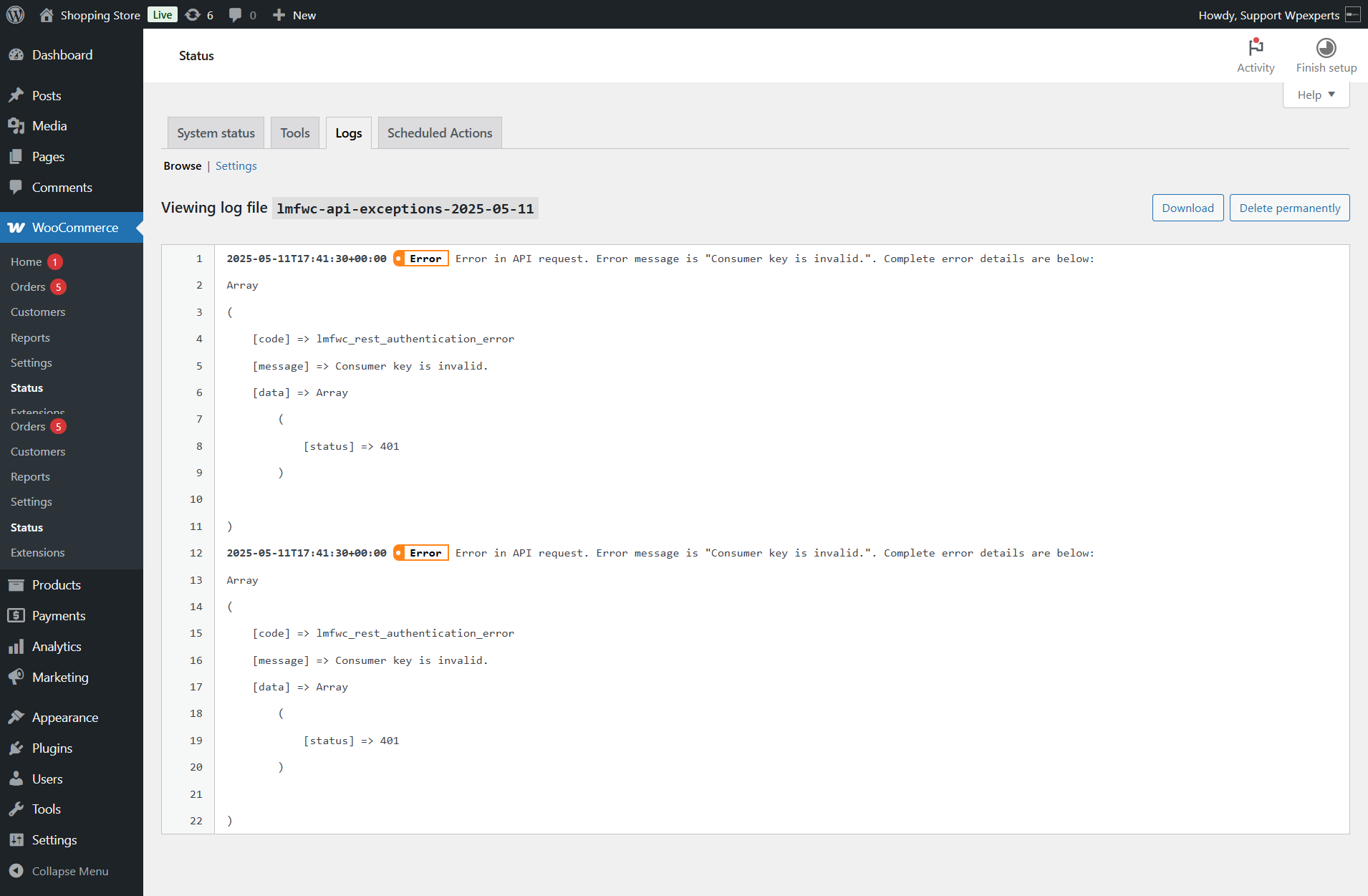
- The admin will be redirected to the API exception log file. As you can see, the API log has been successfully recorded.
API Output Log
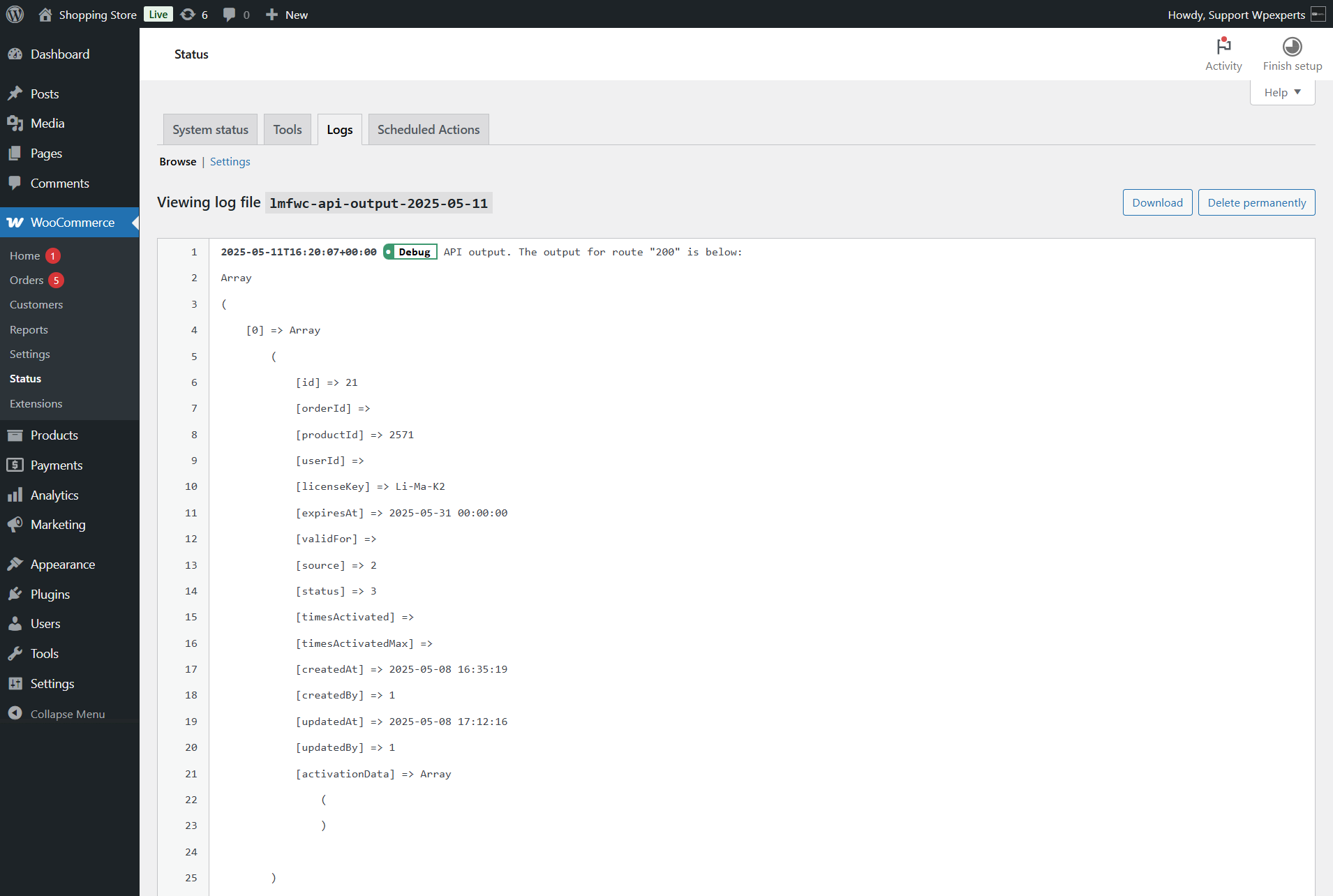
- This log stores the responses generated by the API for each request. It helps verify the correctness of the API’s output.
- Execute a test API on Postman.

- Next, go back to the Admin Dashboard, navigate to WooCommerce > Settings, and click the View Log button for the API Output Log.

- The admin will be redirected to the API output log file. As you can see, the API log has been successfully recorded.