Documentation
Getting Started
- Introduction
- Setup
- General Settings
- WooCommerce
- Tools
- Analytics Reports
- Dashboard
- License
- Generator
- Activations
- Applications
- Installed On
- API Logs
- WooCommerce Products
- Customer License Manager Flow
Integrations
For Developer
Branding
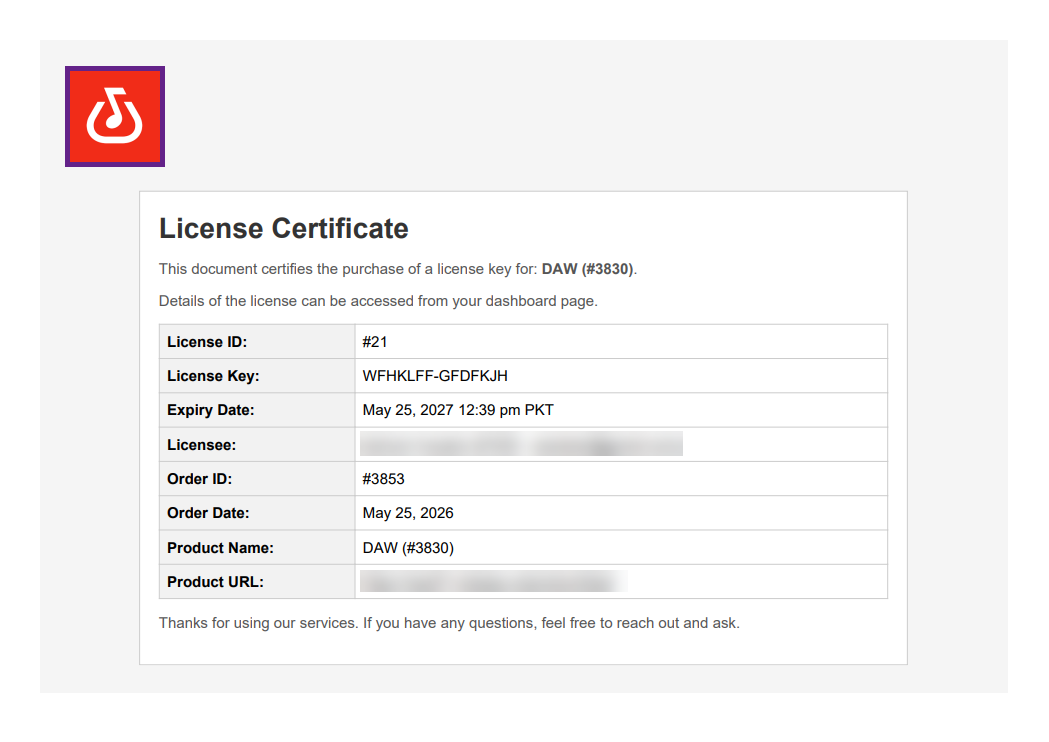
The Company Logo setting allows users to upload an image that will appear on the License Certificate when the end user downloads it.
Note: Ensure that the Enable Certificate option is enabled under WooCommerce > Settings > License Manager > WooCommerce.

Front-End Impact
- Go to the website.
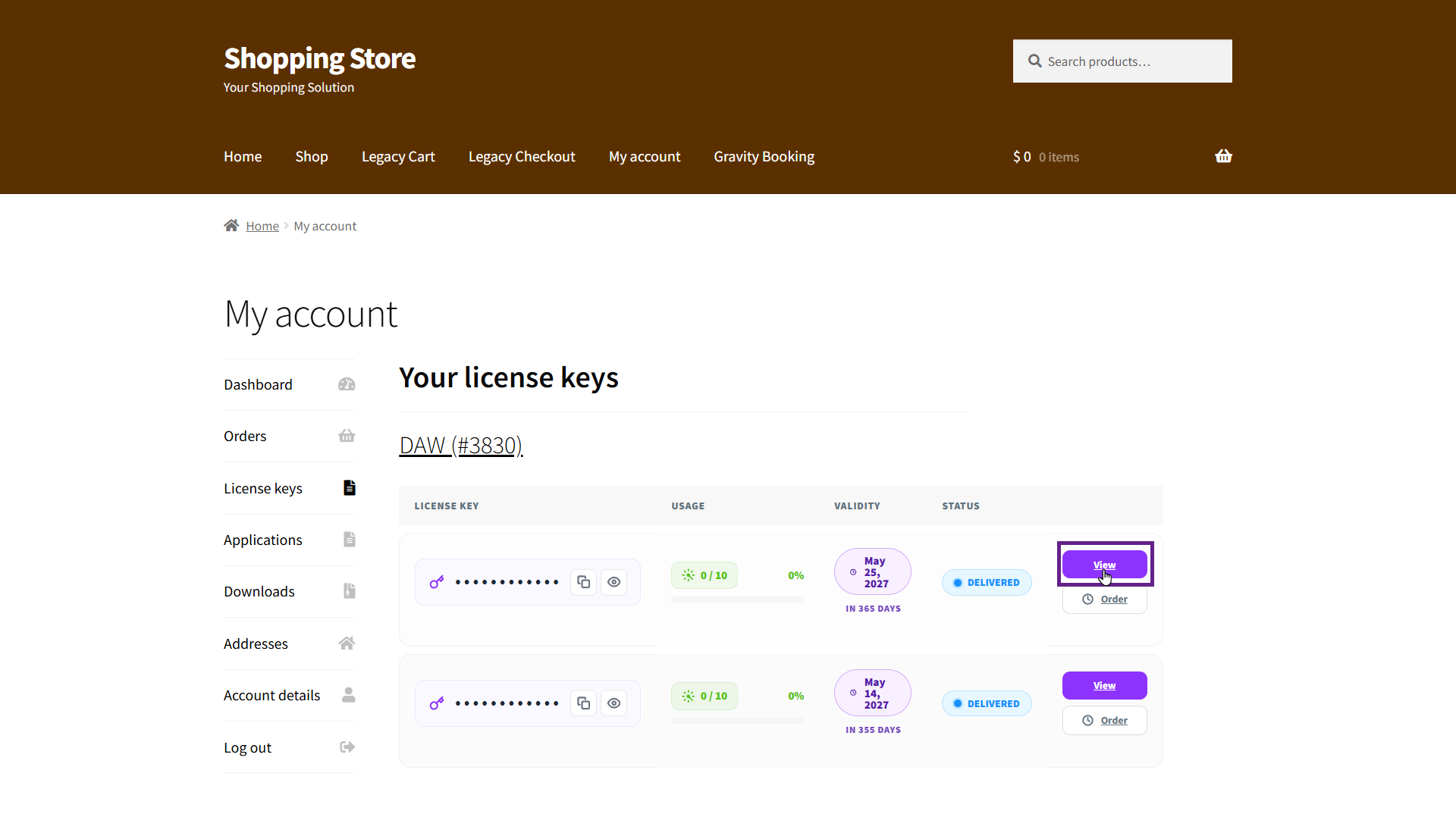
- Navigate to the My account > License Keys tab and click the View button.
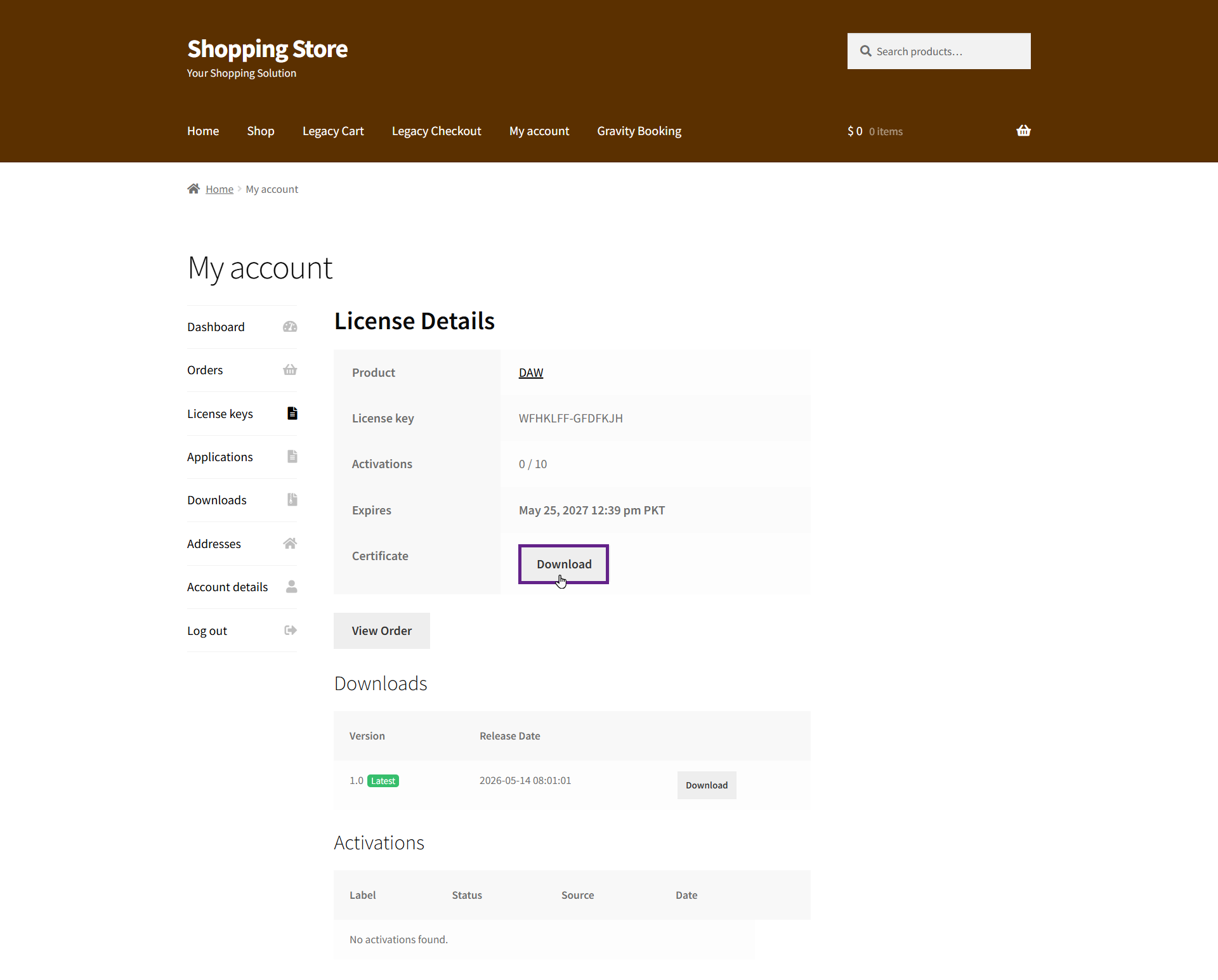
- Click on the Download button next to the certificate to download the product license certificate.
- Now your Company Logo will appear inside the downloaded PDF certificate.